









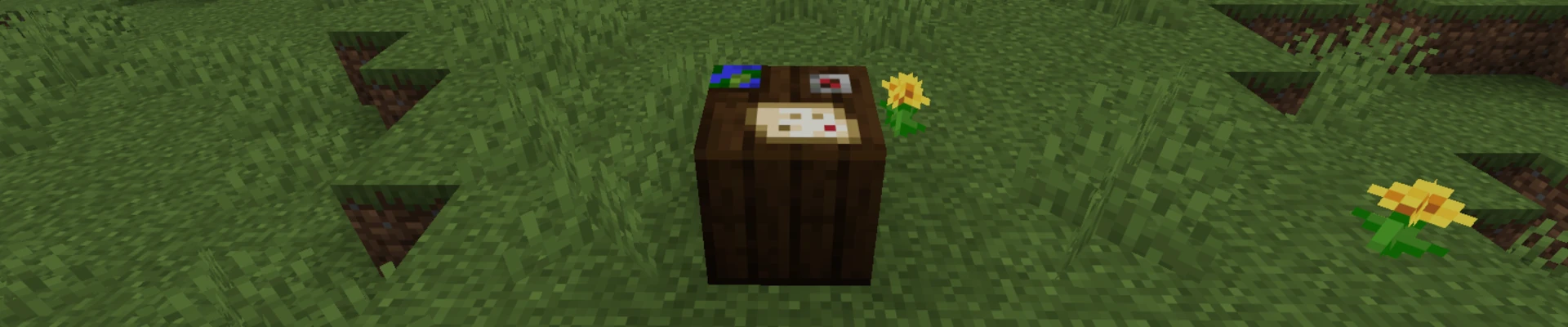
To make a cartography table in Minecraft you need to combine two paper and four wooden planks in a crafting table. After placing the ingredients in the correct pattern you will get a block that you can place and use to work with maps. In this guide we will go through all the steps that will help you craft a cartography table.
Steps to Make a Cartography Table in Minecraft
Start the process of making a cartography table by gathering all the required ingredients.
Get Paper
The first step is to get wooden planks. To do this start by collecting any log by hand and then place it in a crafting table to turn it into wood planks. For a cartography table you can use any type of wood.
Get Wood Planks
The next step is to get two pieces of paper which are crafted from sugar cane. You can find sugar cane near water so it should not be difficult to locate. Then place three sugar cane in a row in a crafting table to get paper.
Craft the Cartography Table
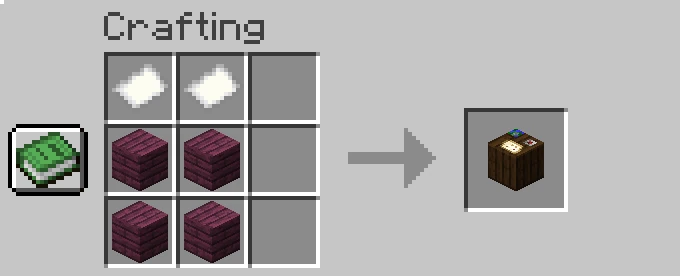
Once you have all the ingredients move on to crafting the cartography table. Open the crafting table and place four planks in a 2×2 pattern and put two pieces of paper above them. After placing the items correctly you will get a cartography table which you can place and use for yourself or assign to a villager.
FAQ
How to Use Cartography Table in Minecraft?
To use a cartography table first open its interface by right clicking on it. You will see two input slots and one result slot where the outcome of your action will appear.
You can perform three main actions depending on the items used:
- If you place a map together with paper you will increase its scale which zooms it out. You can repeat this process up to four times until you reach the largest map size.
- If you place a map together with an empty map you will create a copy of the existing map.
- If you place a map together with a glass pane you will create a locked map which will stop updating further.
What Does a Cartography Table Do in Minecraft?
The cartography table is a utility block used for working with maps and allows you to clone maps expand them and lock maps so they no longer update. It is a very useful tool if you want to manage maps and control their range. Additionally it is a job site block for villagers which allows them to become cartographers and offer trades related to maps and paper.
How to Clear a Map in Minecraft Cartography Table?
You cannot clear a map in Minecraft using a cartography table or in any other way. Once a map is activated it permanently saves the explored terrain and this cannot be undone. If you want a new clean map the only solution is to create a new one and use it from the beginning.
How to Make a Map in Minecraft Cartography Table?
You cannot create a map in a cartography table because it is used only for editing existing maps for example expanding them. To make a map you need to use a crafting table and create an empty map using paper and a compass and then use it while holding it in your hand to activate it.

