









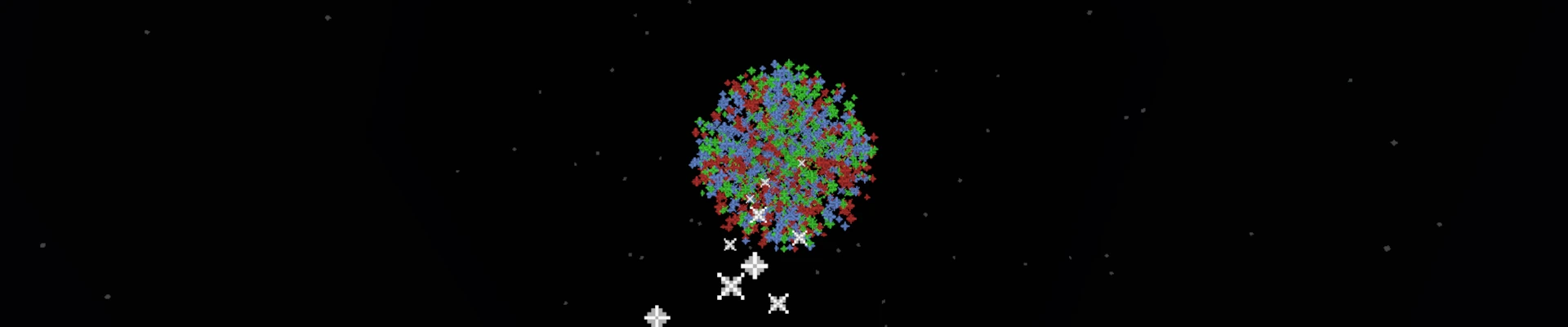
Crafting fireworks in Minecraft is almost a ritual – it starts with obtaining gunpowder and paper, and then turns into the art of selecting dyes, effects, and explosion shapes. You can make a rocket in a light color that gently illuminates the night sky, or create a multi-stage explosion in a dozen colors, with twinkles and trails, that transforms the night into a spectacular festival of lights. This guide will take you through every step – from gathering the first basic ingredients, to crafting the Firework Star and choosing the explosion shapes, all the way to assembling the finished rockets.
Fireworks Crafting
Crafting has two main stages:
1. Make a Firework Star
Prepare the Gunpowder
Gunpowder is used to craft fireworks, TNT, and certain potions. It cannot be crafted and must be obtained in the game world. The most common way to get it is by killing a Creeper before it explodes. Other sources include Ghasts and Witches, which can drop several pieces at once. If you don’t feel like fighting mobs, you can search for it in chests found in structures such as desert temples, dungeons, shipwrecks, or woodland mansions.
Choose Shape Effect
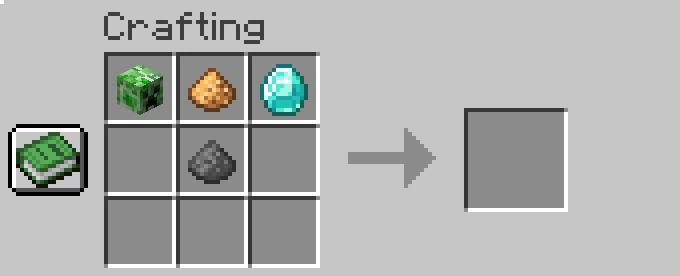
When you craft a Firework Star, you can add items that change the explosion shape:
- Fire Charge – Large ball (bigger than the default)
- Gold Nugget – Star-shaped explosion
- Mob Head – Creeper-face explosion
- Feather – Burst explosion

Choose Additional Effects
- Glowstone Dust – After the explosion, the fireworks begin to softly twinkle
- Diamond – After the explosion, the fireworks leave a distinct trail of sparks that lingers for a moment
- Both
Choose Firework Colors
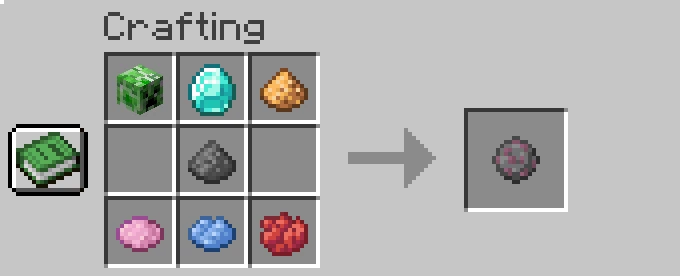
Next, move on to adding primary colors, which are the colors visible immediately when the firework explodes. You set them while crafting the Firework Star in the crafting table, and there can be a maximum of 8 (if no shape or special effects are used) or a maximum of 5 (if you use a shape and 2 additional effects). You can also choose a smaller number of colors if you wish.
Choose Fade Colors
Fade Colors are the colors that appear shortly after the firework explodes, when the primary colors start to fade. This makes the effect more spectacular. You can add up to 8 fade colors to a completed Firework Star.

2. Make a Firework Rocket
A Firework Rocket is a rocket that can be used in two ways:
- For firework displays, if you add a Firework Star
- For flying with an elytra
Required ingredients:
- Paper
- Gunpowder – minimum 1, maximum 3
- A completed Firework Star
Adding 1 Gunpowder means Flight Duration I – low flight, quick explosion, good for visual effects.
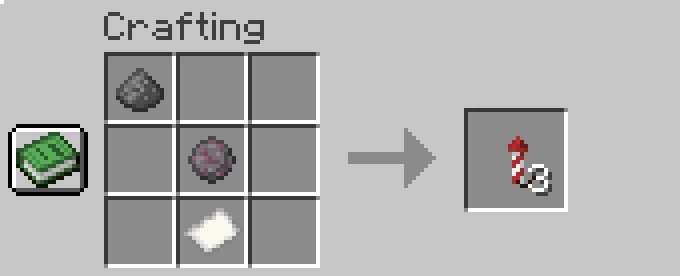
Adding 2 Gunpowder means Flight Duration II – the most versatile for displays.
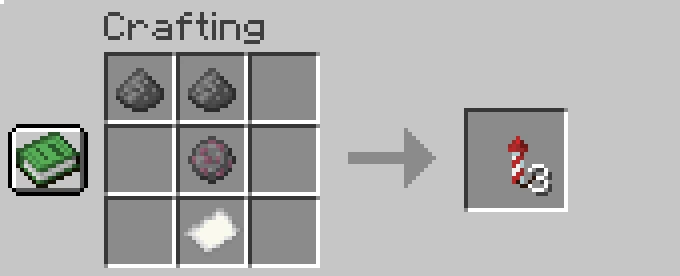
Adding 3 Gunpowder means Flight Duration III – the highest and longest flight, ideal for flying with an elytra.


