










Granting yourself administrator privileges on an Assetto Corsa server gives you full control over the gameplay. As an admin, you’ll be able to easily manage players, including banning and kicking them, control the race progression, and resolve any issues that may arise. These capabilities will help ensure smooth gameplay and maintain a positive atmosphere on the server. In this guide, I’ll explain how to set up the admin password on an Assetto Corsa server and how to become an admin once you’ve joined the game.
Set up admin password
Our intuitive control panel will let you set your admin password in a few moments. Here’s what you need to do:
1. Go to the control panel and select your Assetto Corsa server.
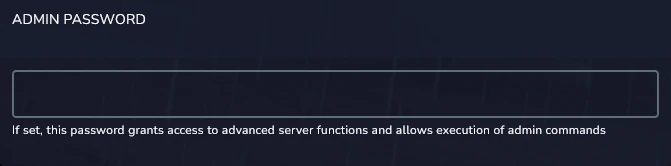
2. Navigate “Startup” tab and find “Admin Password” option. Here, enter your administrator password.
3 Go to the “Console” and restart server.
Become admin on server
Once you have set your admin password, you can give yourself permissions in the game.
1. Launch Assetto Corsa and join your server.
2. Open the chat and use this command:
/admin YourAdminPasswordWe hope that our intuitive web interface has allowed you to configure your Assetto Corsa server easily. If you want to ask us any questions, feel free to contact us via e-mail, ticket or live chat!

