










If you’ve finished setting up your Assetto Corsa server, great – now you can join and start racing! Assetto Corsa is one of the most popular racing games, offering a realistic driving model and extensive online competition. In this guide, I’ll explain how to join an Assetto Corsa server using the in-game server browser.
Join your Assetto Corsa server
1. Launch Assetto Corsa.
2. Select “Main Menu“.
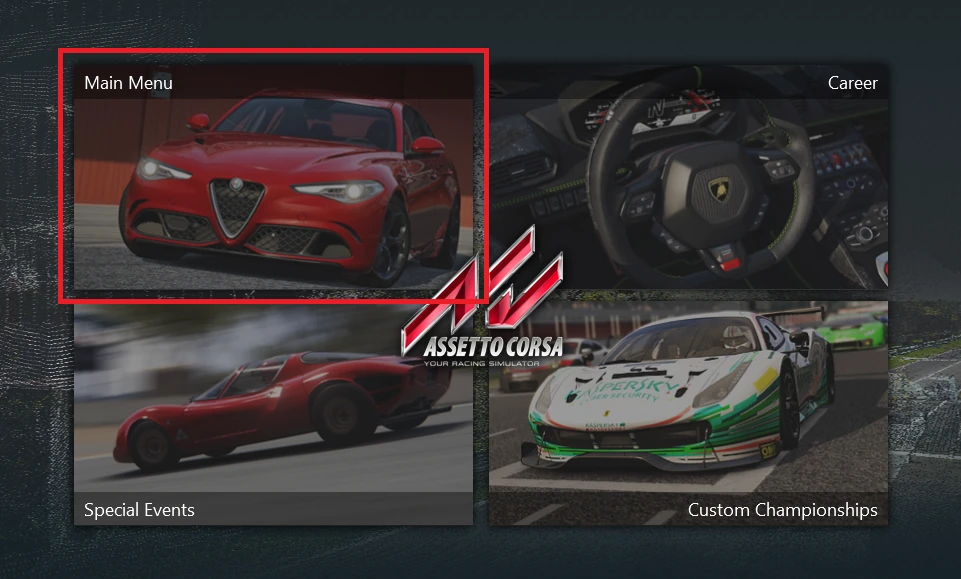
3. Once you are in a main menu, select “Multiplayer“.

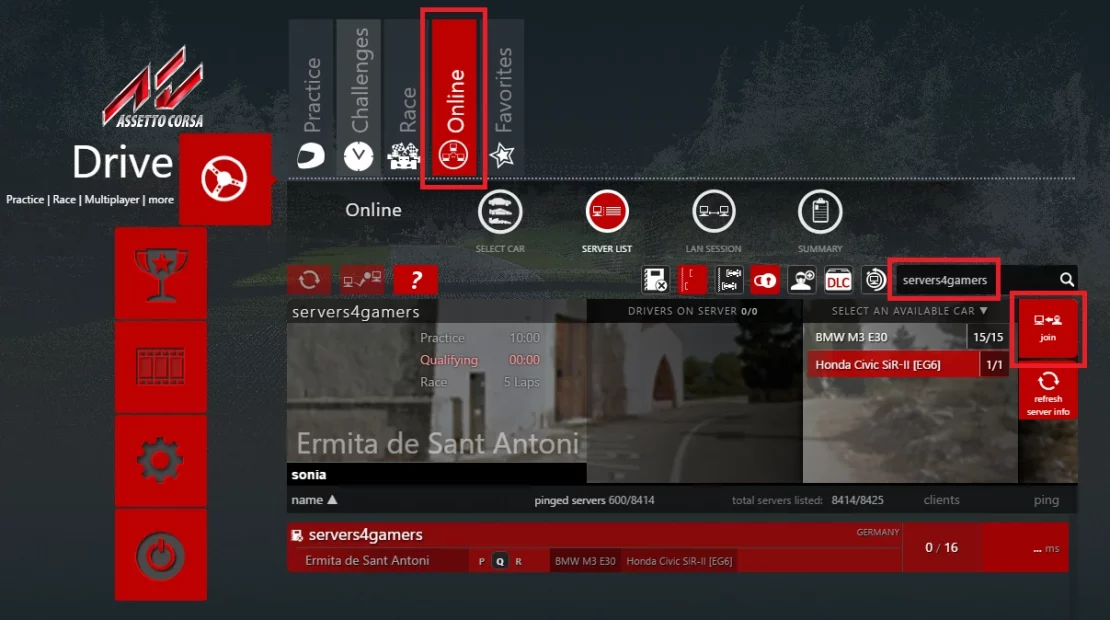
4. Go to the “Online” tab and search for your server by name. When it appears in the server list, select “join“.
We hope that our intuitive guide has allowed you to connect your Assetto Corsa server easily. If you want to ask us any questions, feel free to contact us via e-mail, ticket or live chat!

