




To change the world type on a Minecraft server, you’ll need to create a new world, update the level-type setting in the server.properties file, and restart your server. Once the changes are applied, your new world will be generated using the selected terrain type.
Steps to Change Level Type on a Minecraft Server
Keep in mind that changing the world type requires creating a new world.
Stop Server
Before changing the world type, open the Console tab in your game server panel and click Stop to safely shut down your server.
Create New World
Open the Startup tab and change the World Name setting. Creating a new world is required because the world type only affects newly generated worlds and won’t regenerate an existing one.
Open Configuration File
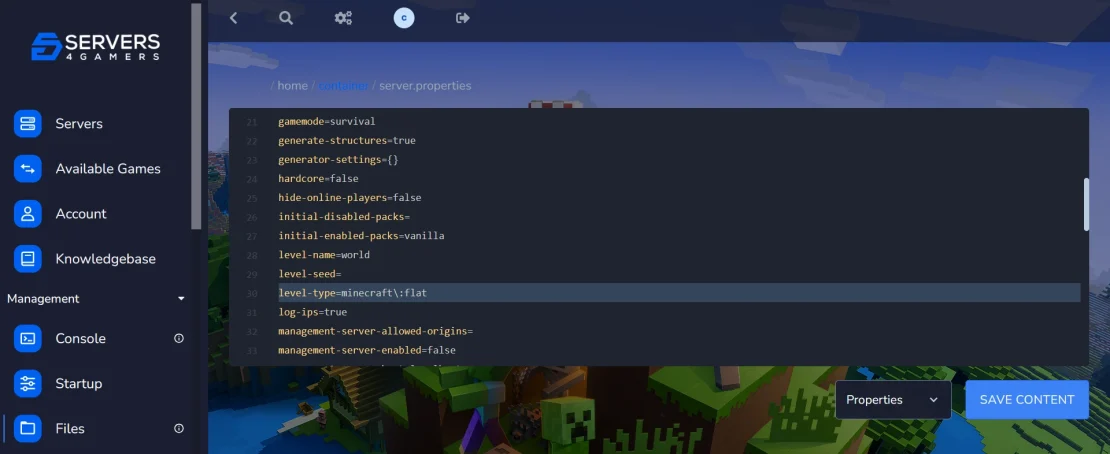
Next, open the Files tab and edit the server.properties file. This file contains the main settings that control how your Minecraft world is generated.
Change World Type
Find the level-type setting and replace its value with the world type you want to use, such as normal, flat, large_biomes, or amplified. Once you’ve selected the desired world type, save the file.
Start Server
Return to the Console tab and click Start to launch your server again.
FAQ
What Is Amplified World Type in Minecraft?
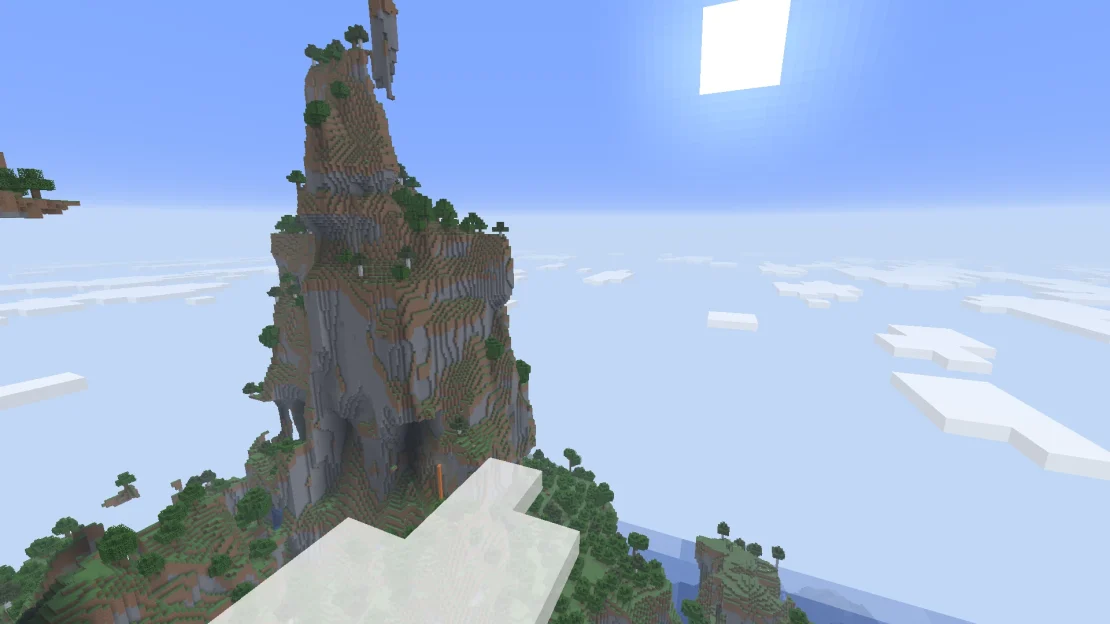
Amplified is a world type that generates extreme terrain with massive mountains, deep valleys, and steep cliffs. It’s designed for players who want a more dramatic landscape to explore and build in. While amplified worlds can look impressive, they may also require more resources to render because of their complex terrain.
What Is the Large Biomes World Type in Minecraft?
The Large Biomes world type generates the same biomes found in a normal Minecraft world, but each biome is much larger. This creates vast forests, deserts, oceans, and other biomes that stretch across much greater distances, making exploration and long-term survival feel very different from a standard world.
What Are the Different World Types in Minecraft?
Minecraft servers support several world types, each offering a different terrain generation style:
- Normal – The default world with balanced terrain, biomes, caves, and structures.
- Flat – A completely flat world, perfect for creative building and redstone projects.
- Large Biomes – Generates much larger biomes, creating vast forests, deserts, oceans, and other landscapes.
- Amplified – Creates dramatic terrain with huge mountains, deep valleys, and steep cliffs for a more challenging survival experience.