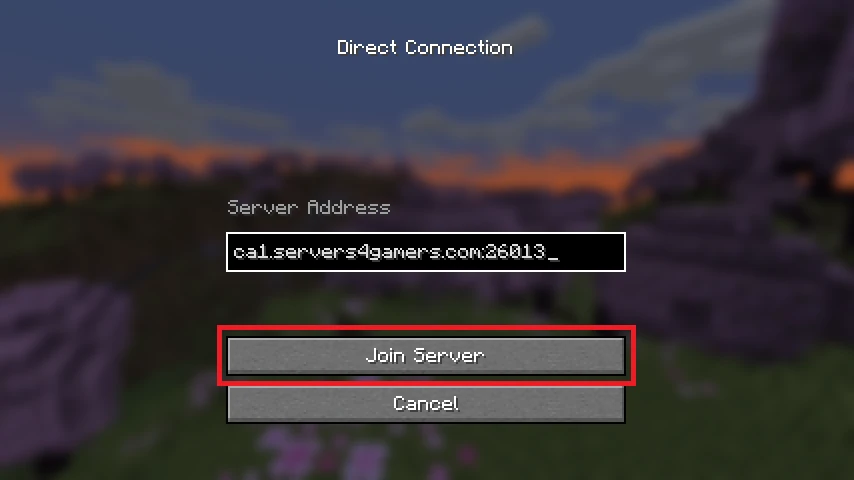




To join a Minecraft server, you’ll first need its server IP address. Once you have it, launch Minecraft, open the Multiplayer menu, choose Direct Connection, paste the server IP, and click Join Server. If you’re hosting your own server, you can find the IP address in your game server panel.
Below, you’ll find the complete steps to connect to a Minecraft server for the first time.
Steps to Join a Minecraft Server
Before you can join your Minecraft server, you’ll first need to obtain its IP address.
Copy Your Minecraft Server IP
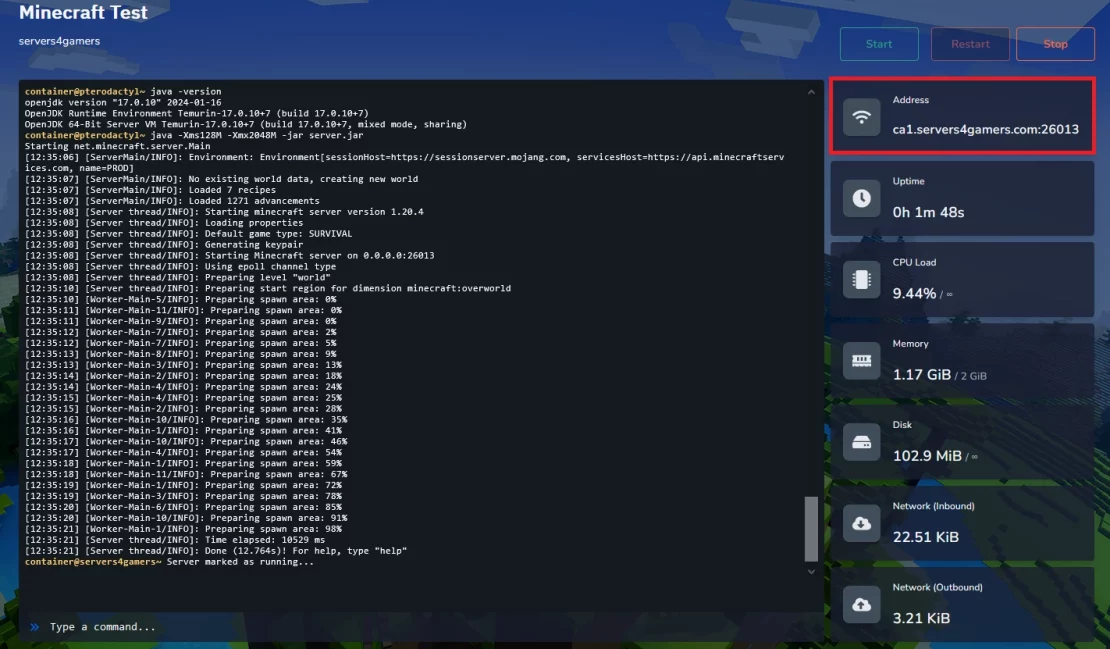
The first step is to copy your Minecraft server IP address. Open the Console tab in your game server panel, where you’ll find your server’s IP displayed on the right side of the screen. Simply click the copy button next to the address to copy it to your clipboard.
Launch Minecraft and Select Multiplayer
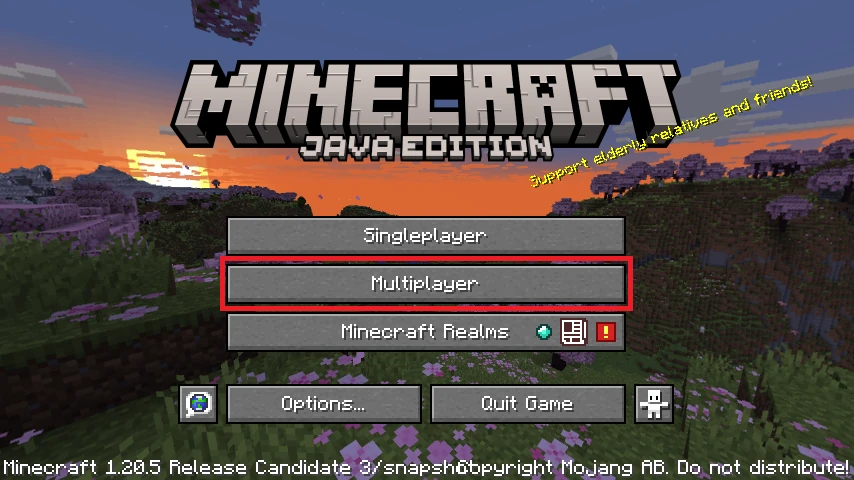
Start Minecraft using the same game version as your server. From the main menu, click Multiplayer to open the server list.
Click Direct Connection
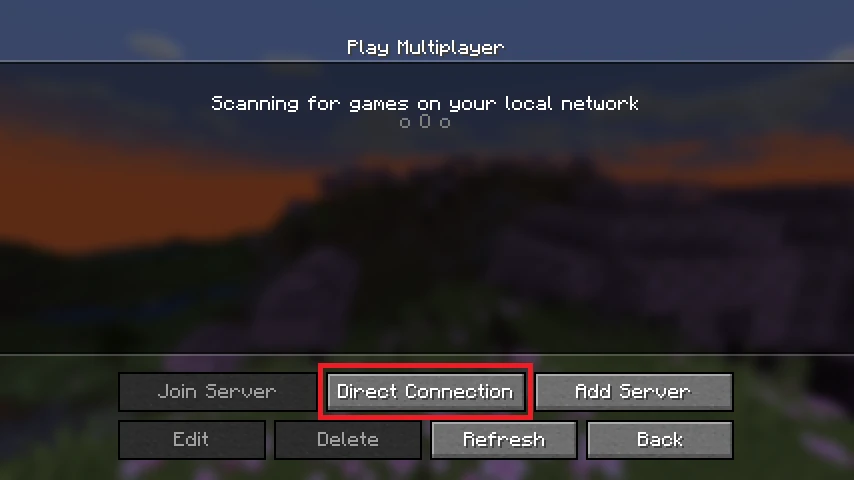
In the Multiplayer menu, click Direct Connection. This option lets you join a server without adding it permanently to your server list.
Paste Your Server IP and Join the Server
Paste the server IP you copied earlier into the Server Address field, then click Join Server. After a few seconds, you’ll connect to your Minecraft server and can begin playing with your friends.