










Joining an Enshrouded server allows you to start playing online together with other players. In this guide, we’ll show you step by step how to connect to a server, where to enter your server address, and what to do if the server is protected by a password.
How to join an Enshrouded server by IP
1. Go to Steam and launch Enshrouded.
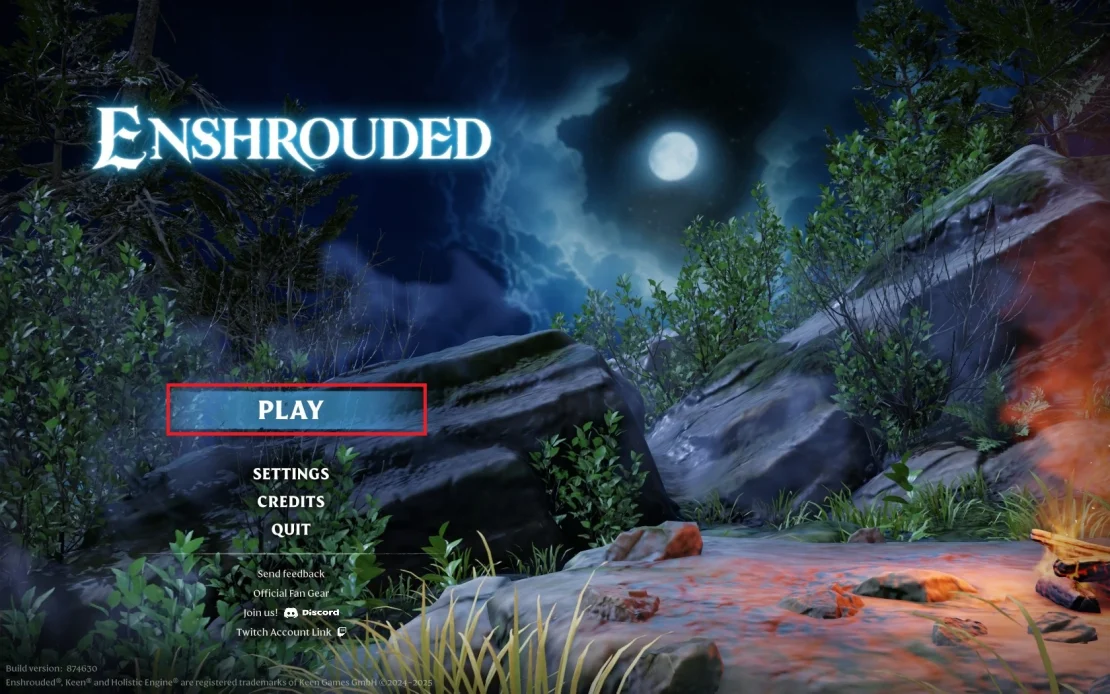
2. Once you are in the main menu, select Play.
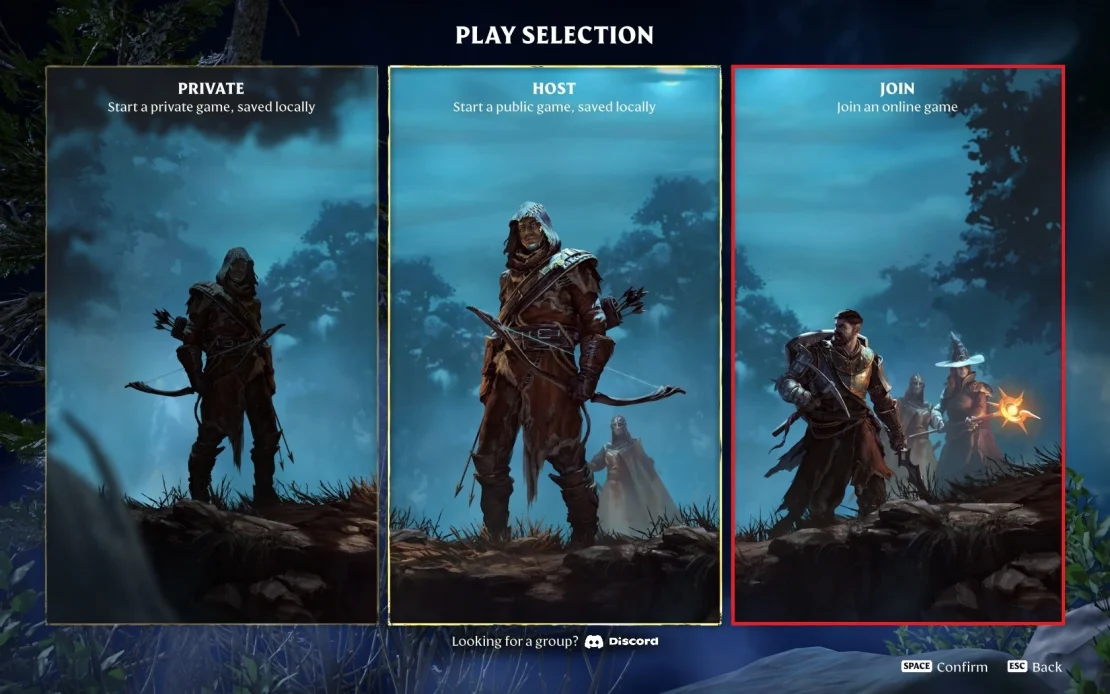
3. Next, choose the Join an online game option.
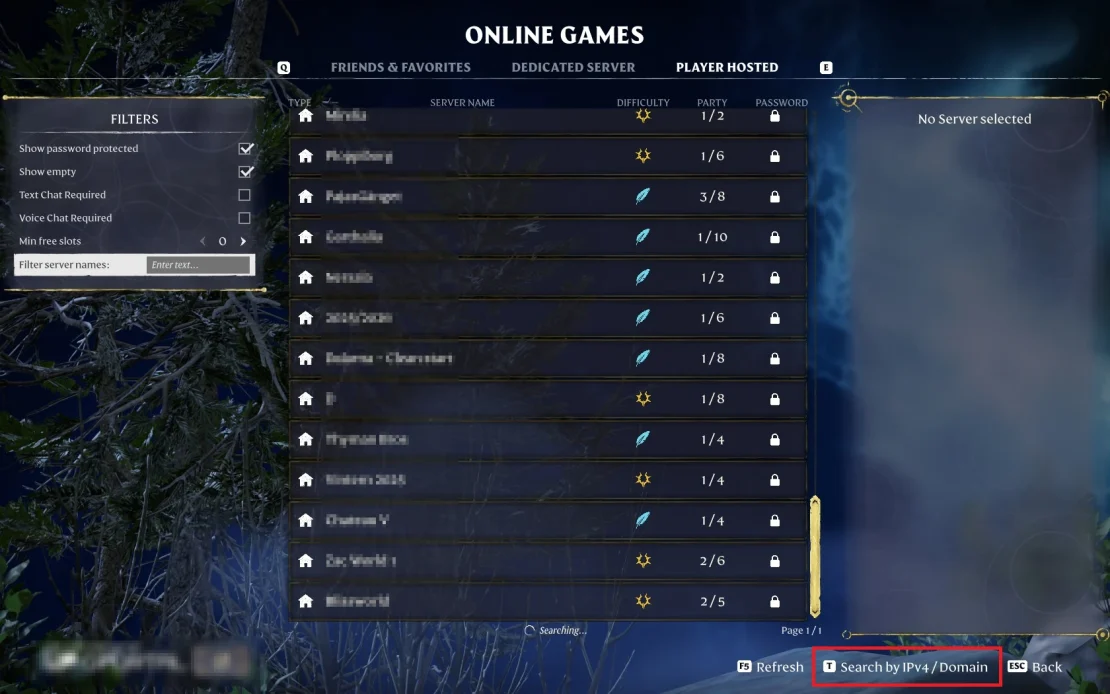
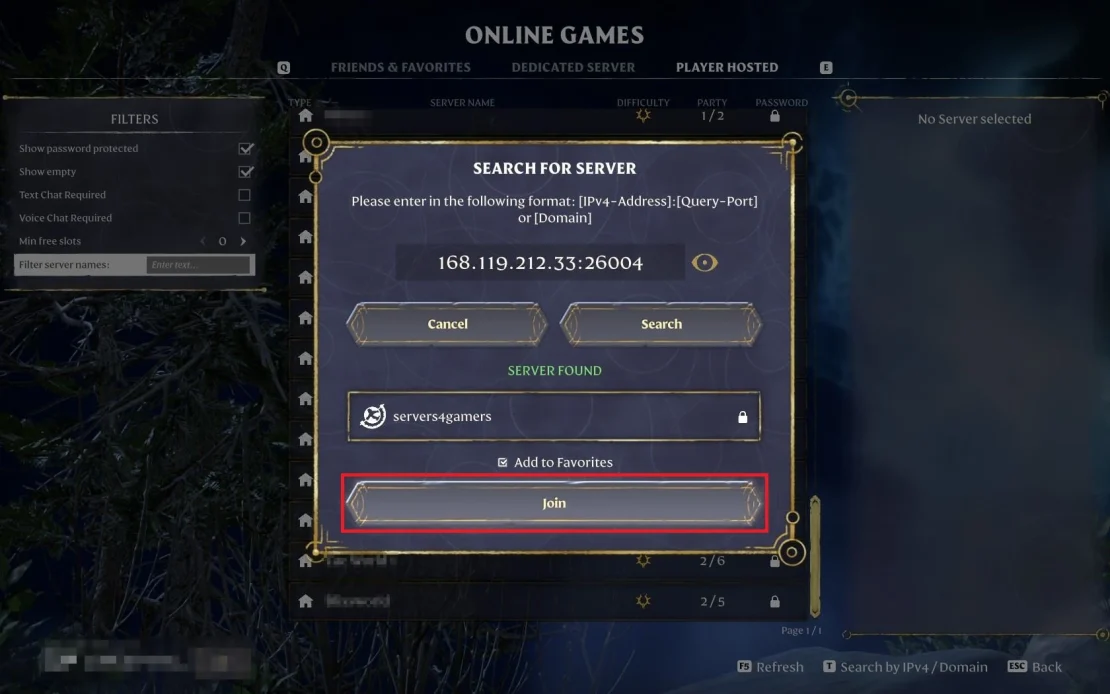
4. In the bottom-right corner, find the option that allows you to search for a server by address.
5. Enter your server address (if you don’t know it, log in to our control panel and check it in the Console or Network tab).
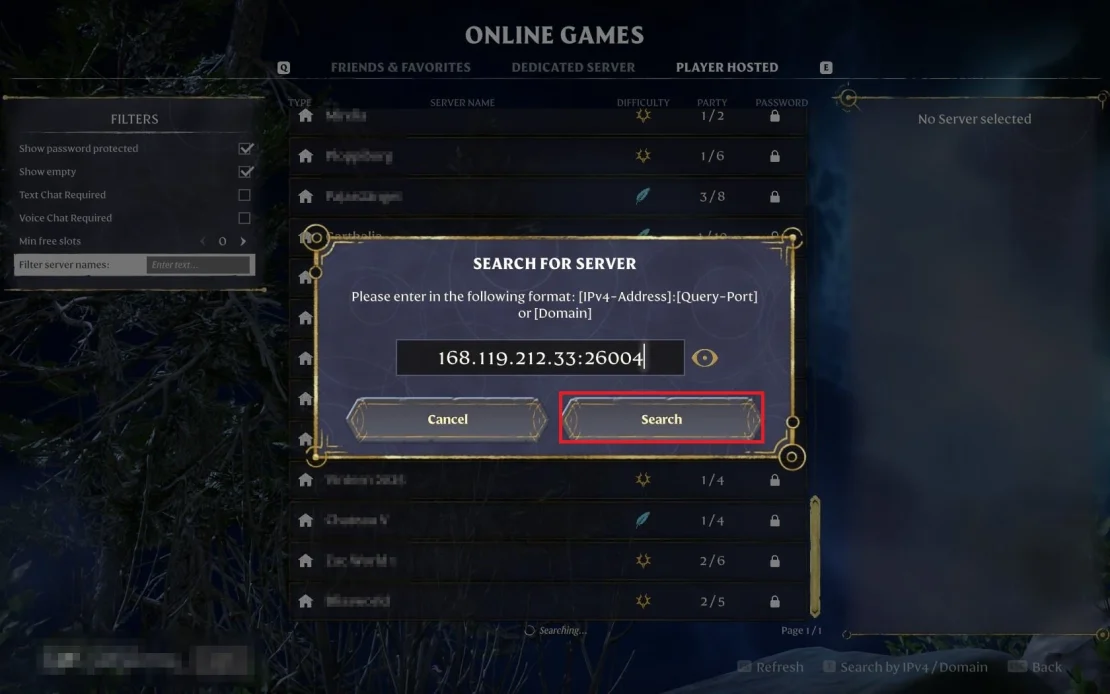
6. When you see the message Server Found, click Join to enter the game.
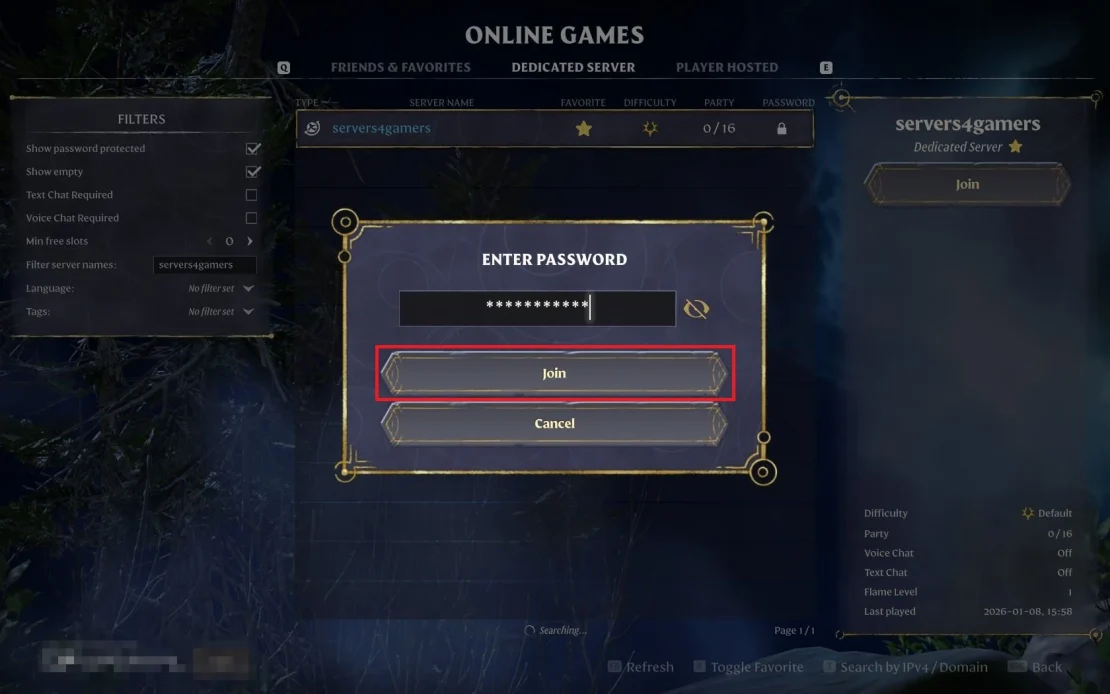
7. Enter the server password (it is set by default in the enshrouded_server.json file).
How to use Enshrouded server list
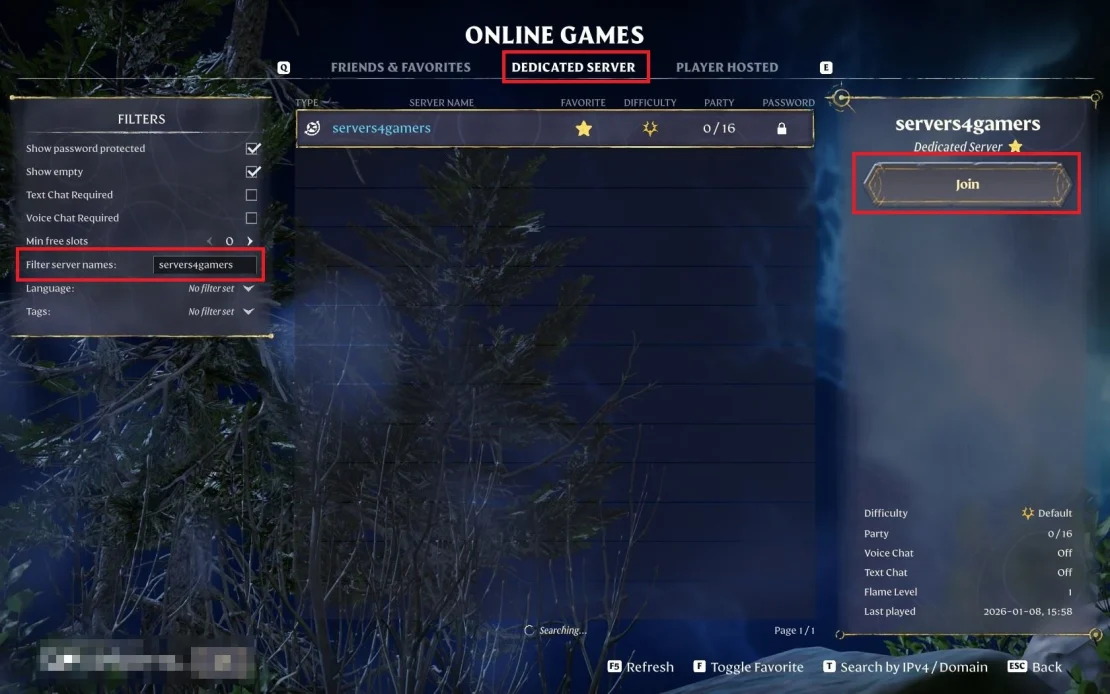
A newly created server may not appear on the public server list immediately. This can be caused by delays in refreshing the list and does not indicate an incorrect configuration. For this reason, we recommend using the IP address for the first connection.
After a successful first connection, the server will be saved in the game and will appear in the list on future launches. From then on, simply go to the Dedicated Servers tab, search for the server by name, and click Join.
How to add an Enshrouded server to Steam
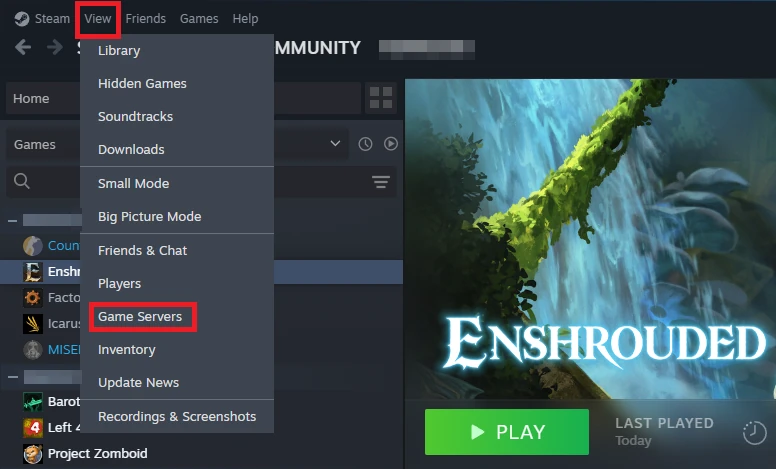
1. Launch Steam, click View, and select Game Servers.
2. Click the + button.
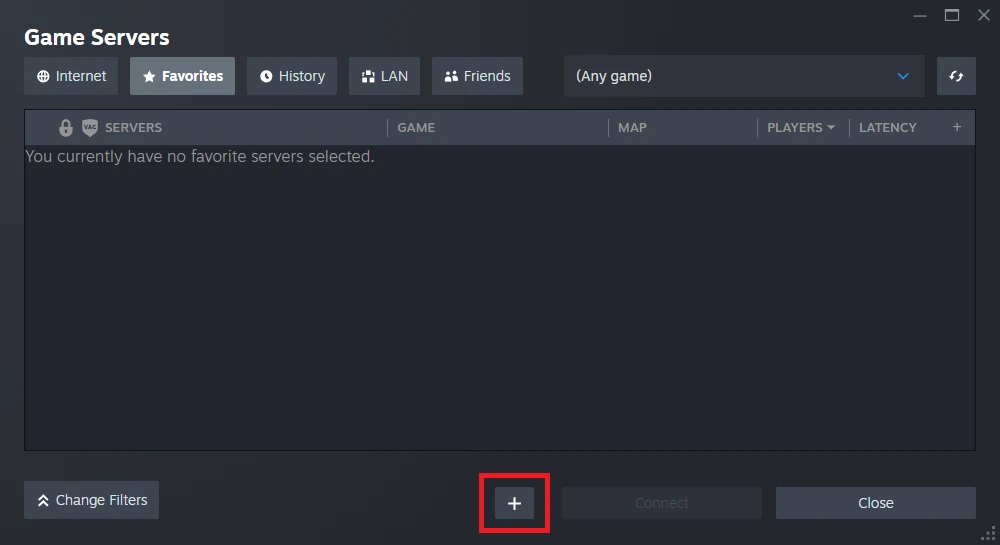
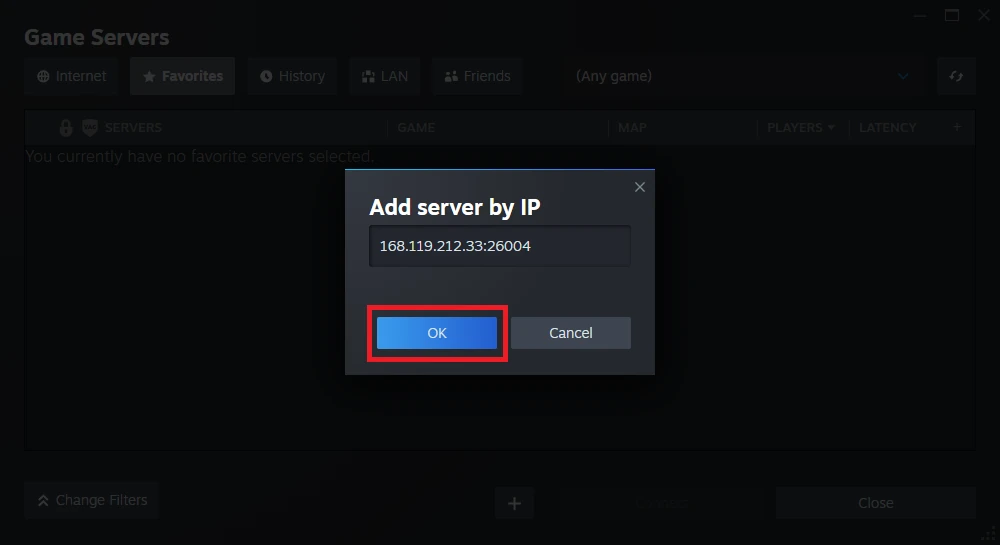
3. Enter your Enshrouded server address (you can find it in our control panel under Console or Network) and click OK.
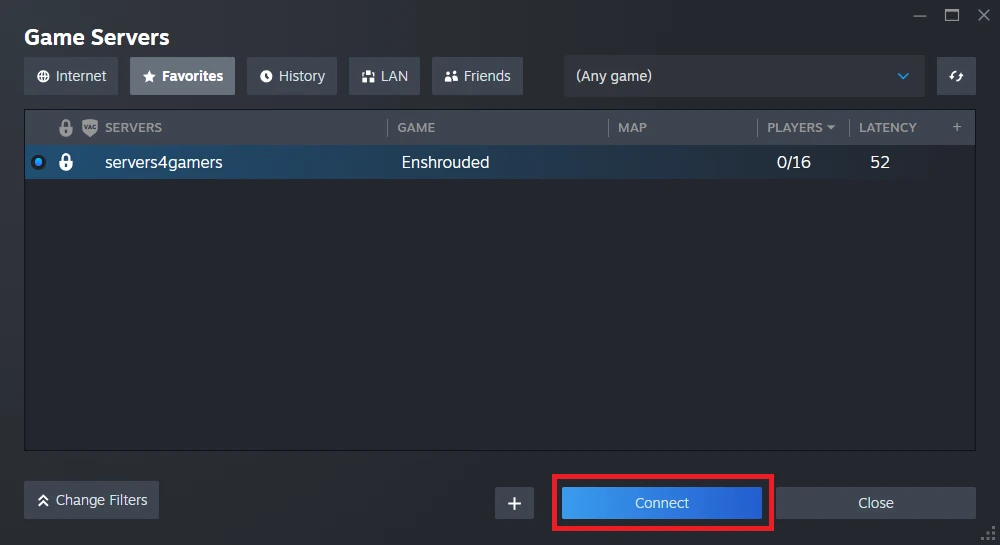
4. Click Connect.
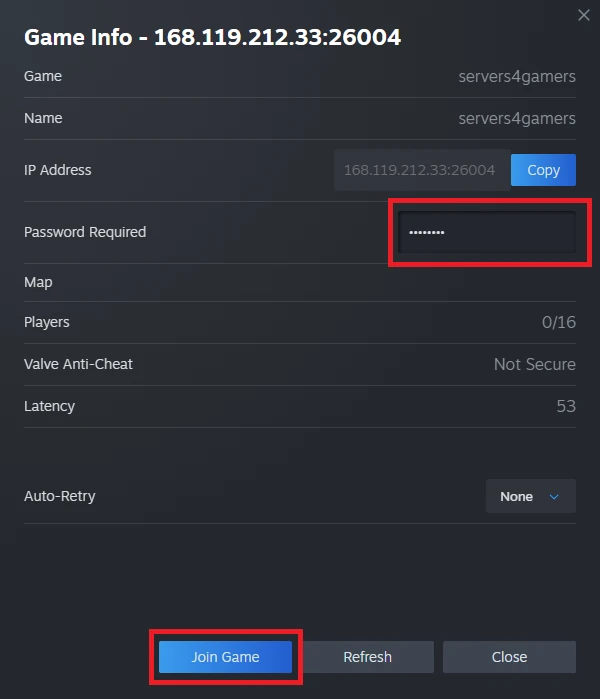
5. Enter the server password and click Join Game.
We hope that our intuitive web interface has allowed you to connect Enshrouded server easily. If you want to ask us any questions, feel free to contact us via e-mail, ticket or live chat!

