









If you want to explore oceans without constantly surfacing for air, a Water Breathing Potion is essential. It allows you to stay underwater for a longer time, making exploration much easier and safer.
In this guide, you will learn how to make a Water Breathing Potion and what ingredients you need for the process to work. Even if you are just starting with brewing, you will be able to create your first potion without any problems.
How to Brew Water Breathing Potion in Minecraft
Before you start brewing, make sure you have all the required items. This will make the entire process faster and prevent unnecessary interruptions.
Collect Items Required to Brew Water Breathing Potion
Brewing Stand
The Brewing Stand is the foundation of potion making. You can craft it using one Blaze Rod and three blocks of Cobblestone. If you do not have the materials, you can also find one in a village.
Blaze Powder
Blaze Powder is the fuel for your Brewing Stand. It can be crafted by converting a Blaze Rod into two Blaze Powder.
Water Bottles
Another important ingredient is Water Bottles. You can make them by filling empty Glass Bottles with water from any water source.
Nether Wart
Nether Wart is another key ingredient needed to create the base potion, known as the Awkward Potion. You can find it in places like Nether Fortresses.
Pufferfish
Pufferfish is the most important ingredient in the entire potion brewing process. Without it, you will not be able to obtain the Water Breathing effect, as it is the key component responsible for it.
There are several ways to get a pufferfish, but it is most commonly obtained through fishing. It also naturally spawns in warm ocean biomes. You can catch it directly with a bucket, but you need to be careful. When you get too close, the pufferfish inflates and can apply a poison effect.
Activate the Brewing Stand with Blaze Powder
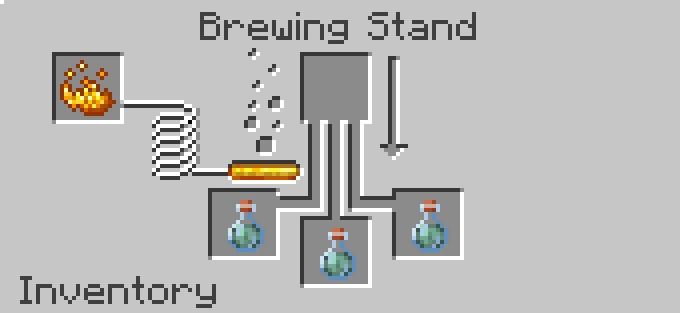
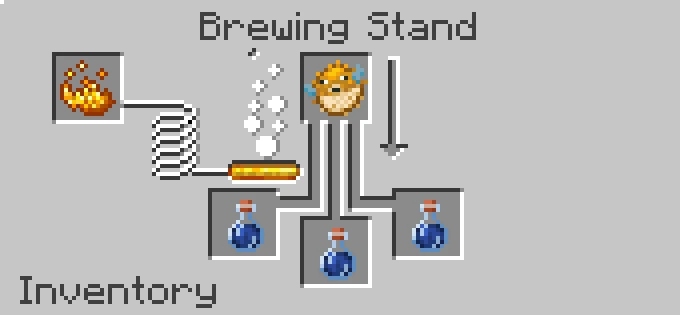
At this point, it is time to activate the Brewing Stand. Once you open its interface, place Blaze Powder in the left slot. This is the fuel required to start the brewing process.
Place Water Bottles
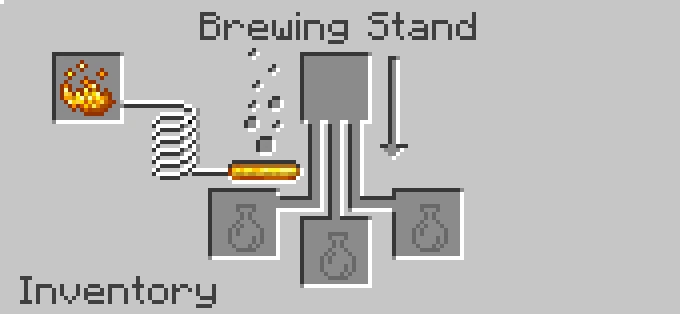
Next, add up to three Water Bottles to the bottom slots of the Brewing Stand. These form the base for every potion, so this step is necessary before adding any ingredients.
Brew an Awkward Potion using Nether Wart
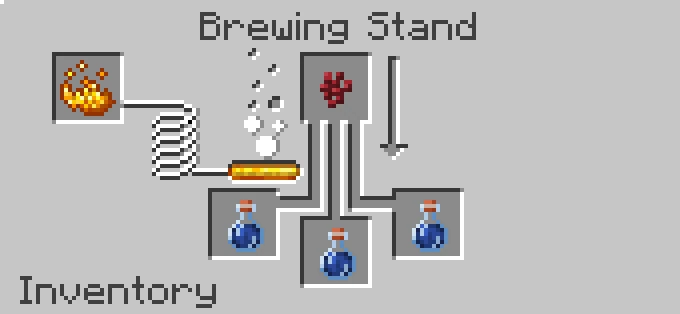
Then, place Nether Wart in the top slot and wait for the brewing process to finish. As a result, you will get an Awkward Potion, which is the base for the next steps.
Brew a Water Breathing Potion using Pufferfish
After obtaining the Awkward Potions, place a Pufferfish in the top slot. After a few seconds of brewing, the process will finish. You will then see Water Breathing Potions in the bottom slots, allowing you to freely explore underwater areas.
FAQ
Is There a Water Breathing Enchantment in Minecraft?
No, there is no enchantment in Minecraft that gives full underwater breathing like a Water Breathing Potion. The only enchantment related to breathing is Respiration, which can be applied to a helmet. Respiration does not allow you to breathe underwater without limits. It only increases the time you can stay underwater without losing air. This means you can still drown, but it will take longer.
How Long Can You Breathe Underwater in Minecraft?
By default, a player can stay underwater for about 15 seconds before starting to lose air. Once the air bar is depleted, the player begins to take damage and can eventually drown. A Water Breathing Potion completely removes this problem. The standard version lasts for 3 minutes, while the extended version can last up to 8 minutes. During this time, you can breathe underwater without any limitations.
How to Have Infinite Water Breathing in Minecraft?
The only way to get an infinite Water Breathing effect is by using a command with cheats enabled. In Survival mode, it is not possible to obtain this effect permanently.
How to Give Water Breathing Effect in Minecraft with Command?
To give yourself the Water Breathing effect, type the following command in the chat:
/effect give @p minecraft:water_breathingIf you do not want a temporary effect but a permanent one, use the command with infinite:
/effect give @p minecraft:water_breathing infinite
