










BeamMP is one of the most popular modifications that enable multiplayer gameplay in BeamNG.drive. With this mod, you can create your own server, invite friends for a fun driving experience, or even build a thriving community of simulation enthusiasts. However, simply hosting a server is not enough – it’s equally important to make it stand out among the hundreds of others in the BeamMP server browser.
A well-chosen server name and an eye-catching presentation in the server list can significantly increase the number of players joining your server. In this guide, you’ll learn how to change your BeamMP server name and customize its appearance in the server browser to make it more attractive.
How to change server name
1. Go to the control panel and select your BeamMP server.
2. Go to the “Startup” and find “Server Name”. Enter your server name here.
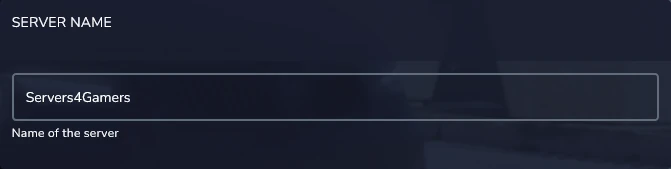
3. Restart to apply changes.
Server name customization
If you want to personalize the appearance of your server name, use the following symbols before the text:
- ^n underline
- ^l bold
- ^m strike-through
- ^o italic
- ^0 black
- ^1 blue
- ^2 green
- ^3 light blue
- ^4 red
- ^5 pink
- ^6 orange
- ^7 grey
- ^8 dark grey
- ^9 light purple
- ^a light green
- ^b light blue
- ^c dark orange
- ^d light pink
- ^e yellow
- ^f white
This example: ^l ^9 Servers4Gamers should give the following result:

We hope that our intuitive web interface has allowed you to configure your BeamMP server easily. If you want to ask us any questions, feel free to contact us via e-mail, ticket or live chat!

