










Avorion is a dynamic sandbox game where you build your own spaceships, explore a vast galaxy, and battle pirates, factions, and other players. However, the real fun begins when you join a multiplayer server. Playing with others allows you to form alliances, wage wars, trade, and conquer unexplored sectors of space together.
In this guide, I will explain how to join an Avorion server using the server list and the direct connect option.
Connect to an Avorion Server via the Server Browser
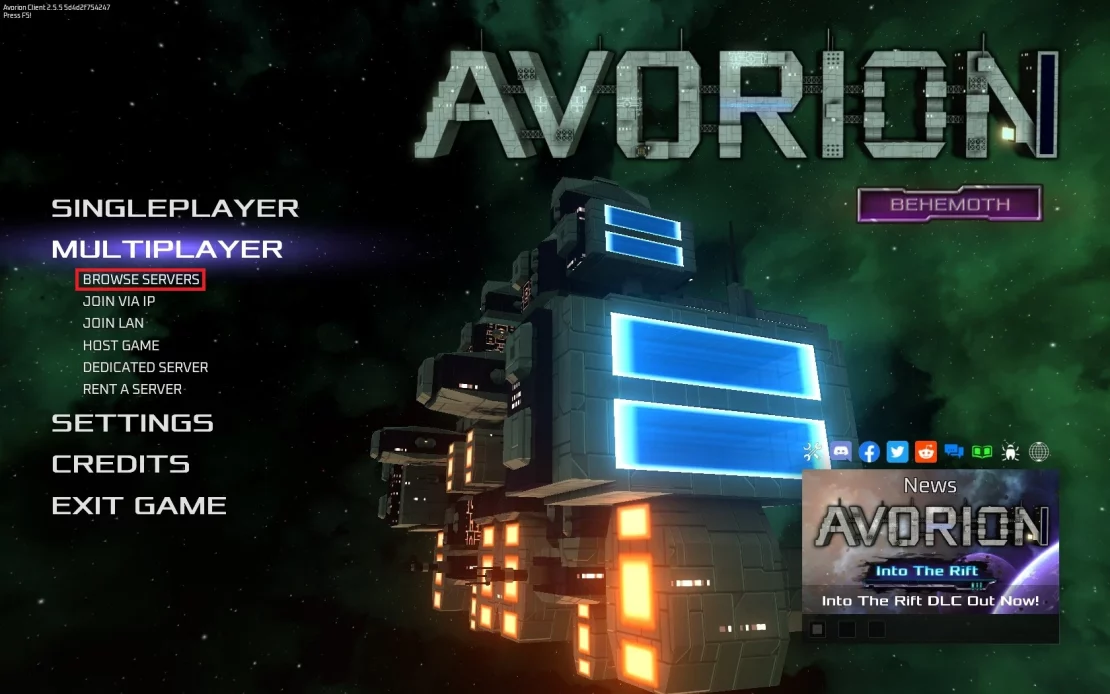
1. Launch Avorion game and select “Browse Servers“.
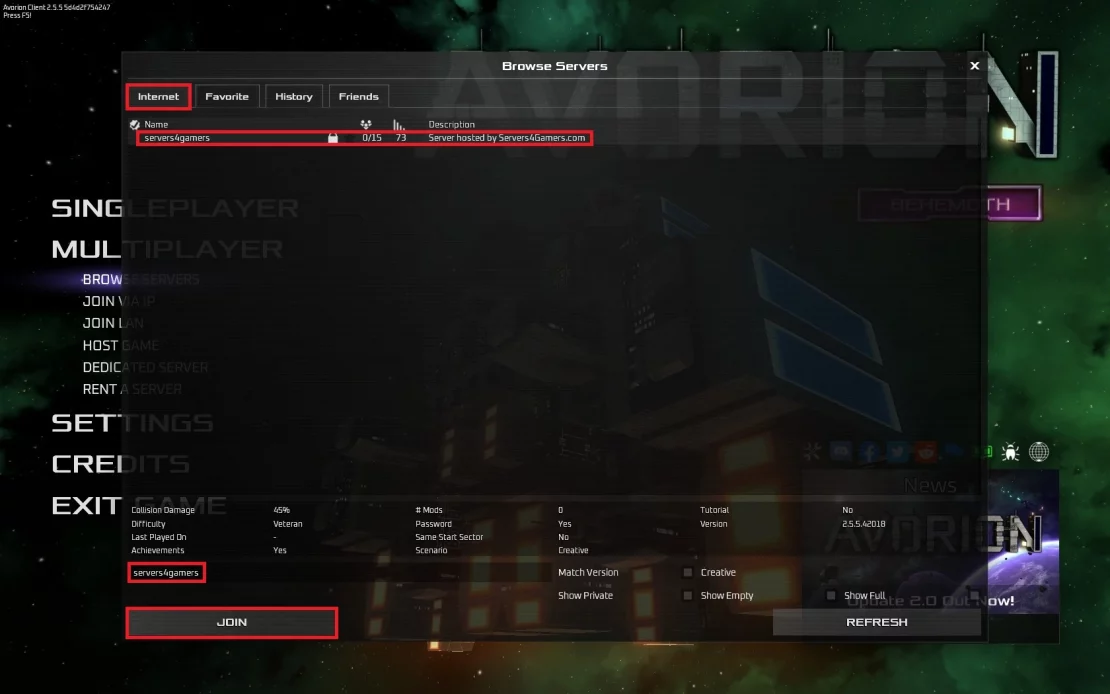
2. Go to the “Internet” tab and search for your server by name. Once you find it, click “Join“.
Direct Connect to an Avorion Server
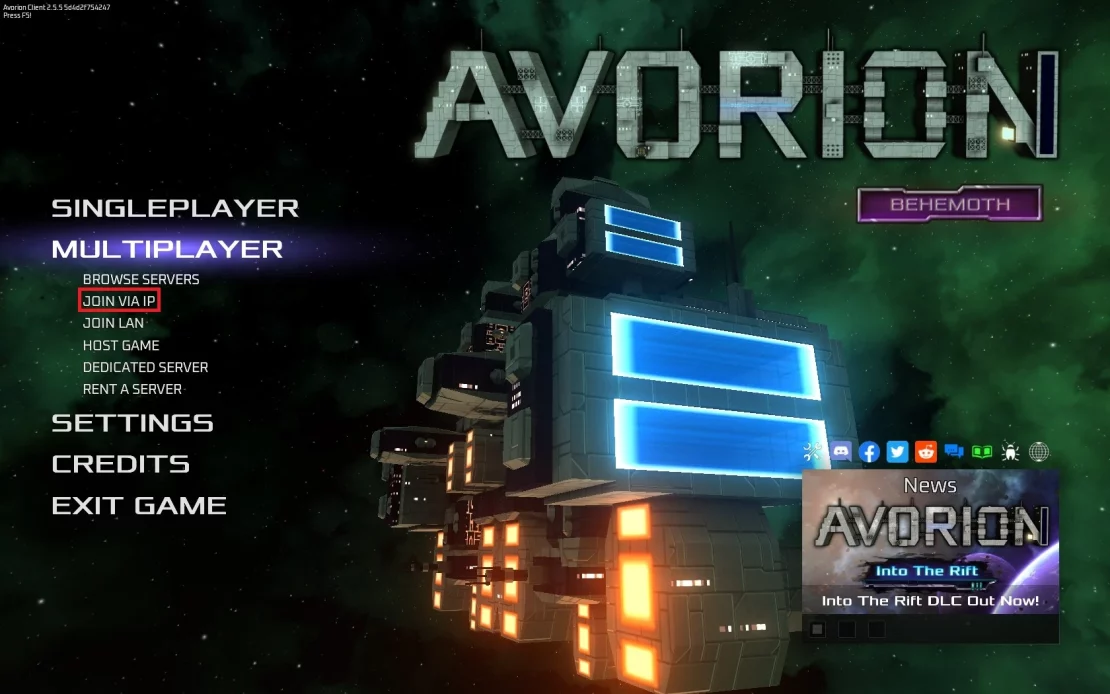
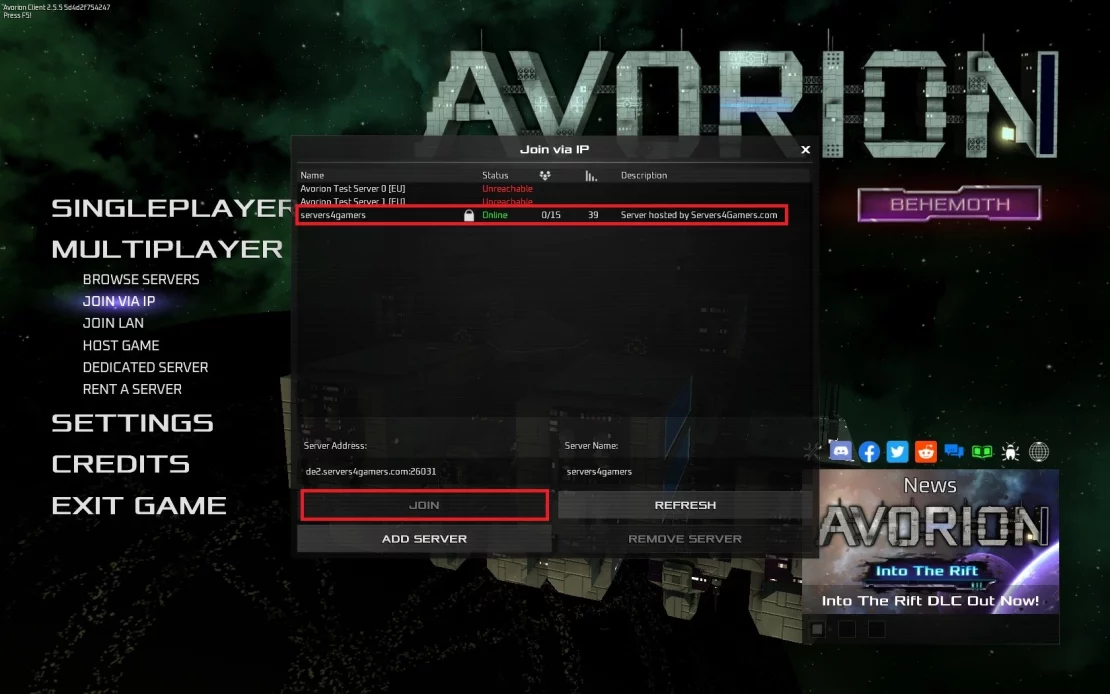
1. Launch Avorion game and select “Join via IP“.
2. Add your server address (IP and Query Port) and give it a name. Select “Add Server” to add it to the list.
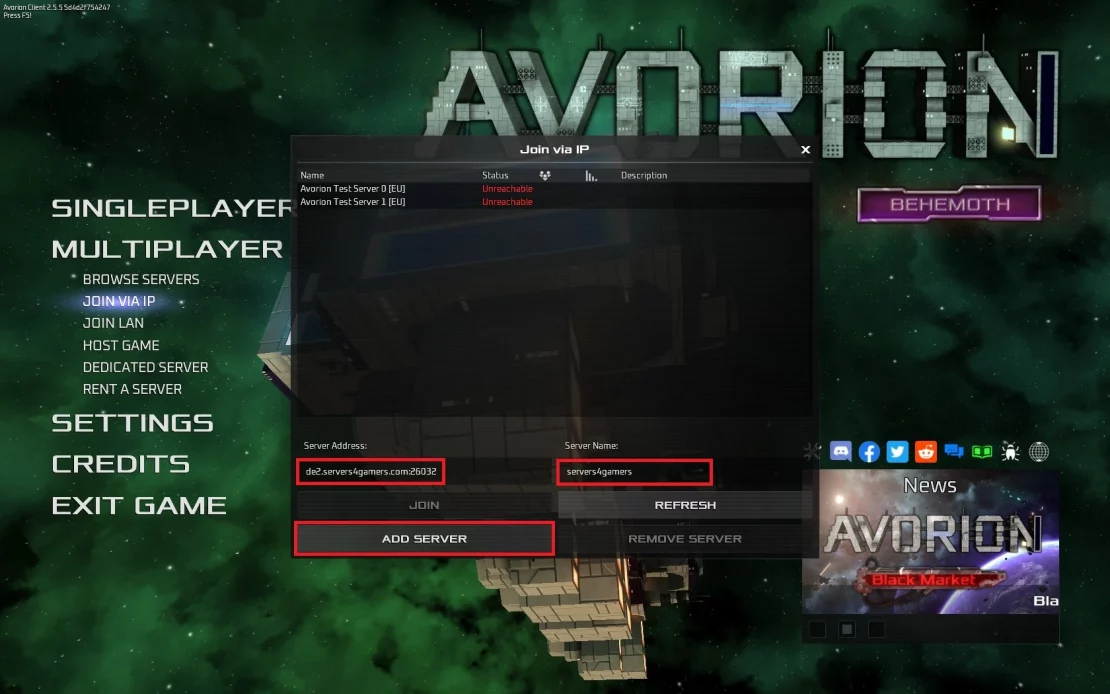
3. Your server should appear on the server list with the status “Online.” Click “Join“.
We hope that our intuitive guide has allowed you to connect your Avorion server easily. If you want to ask us any questions, feel free to contact us via e-mail, ticket or live chat!

