










If you are an admin of an Avorion server, you have full control over who can access the game. To manage this, you can use a whitelist, where you add the player IDs of those you want to allow to connect to the server. Another method is creating a blacklist, which is a list of players who will be denied access to the game. In this guide, we will explain in detail how to use the whitelist and blacklist on an Avorion server.
Whitelist an Avorion server
1. Access server files and edit server.ini file.
/home/container/galaxy/world/server.ini2. Go to the end of the file and find the [Administration] section – search for the accessListMode option and set the value to Whitelist.
[Administration]
accessListMode=Whitelist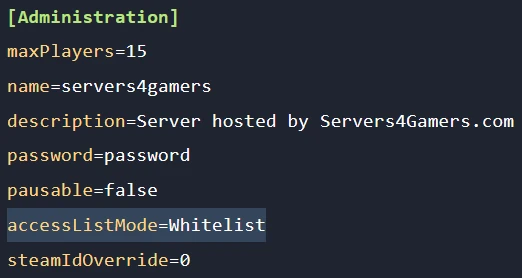
3. Restart server to apply changes.
4. Go to the server console and use this command:
/whitelist -a --id <SteamID>
Blacklist an Avorion server
1. Access server files and edit server.ini file.
/home/container/galaxy/world/server.ini2. Go to the end of the file and find the [Administration] section – search for the accessListMode option and set the value to Blacklist.
[Administration]
accessListMode=Blacklist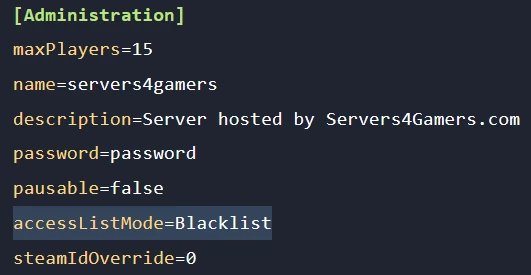
3. Restart server to apply changes.
4. Go to the server console and use this command:
/blacklist -a --id <SteamID>
We hope that our intuitive web interface has allowed you to configure your Avorion server easily. If you want to ask us any questions, feel free to contact us via e-mail, ticket or live chat!

