








To disable spawn protection on a Minecraft server, simply set the spawn-protection value to 0 and restart your server. This removes the protected area around the world spawn, allowing all players to place and break blocks without restrictions.
Steps to Disable Spawn Protection on a Minecraft Server
Below, you’ll find the steps required to disable spawn protection on your Minecraft server using our game server panel.
Stop Your Server
Open your game server panel, navigate to the Console tab, and click the Stop button. It’s recommended to stop the server before modifying the configuration file.
Edit server.properties
Go to the Files tab and open the server.properties file.
Change spawn-protection value
Locate the spawn-protection setting, change its value to 0, and save the file. Setting the value to 0 completely disables spawn protection on your Minecraft server.
Start Your Server
Return to the Console tab and click the Start button. Once the server is running again, the new spawn protection setting will be applied.
FAQ
What Is Spawn Protection in Minecraft?
Spawn protection is a built-in Minecraft feature that protects the area around the world’s spawn point from being modified by non-operator players. By default, the protected area extends 16 blocks in every direction, creating a 33 × 33 block protected region. Server owners can increase, decrease, or completely disable spawn protection by changing its value in the server.properties file, making it easy to customize how much of the spawn area remains protected from other players.
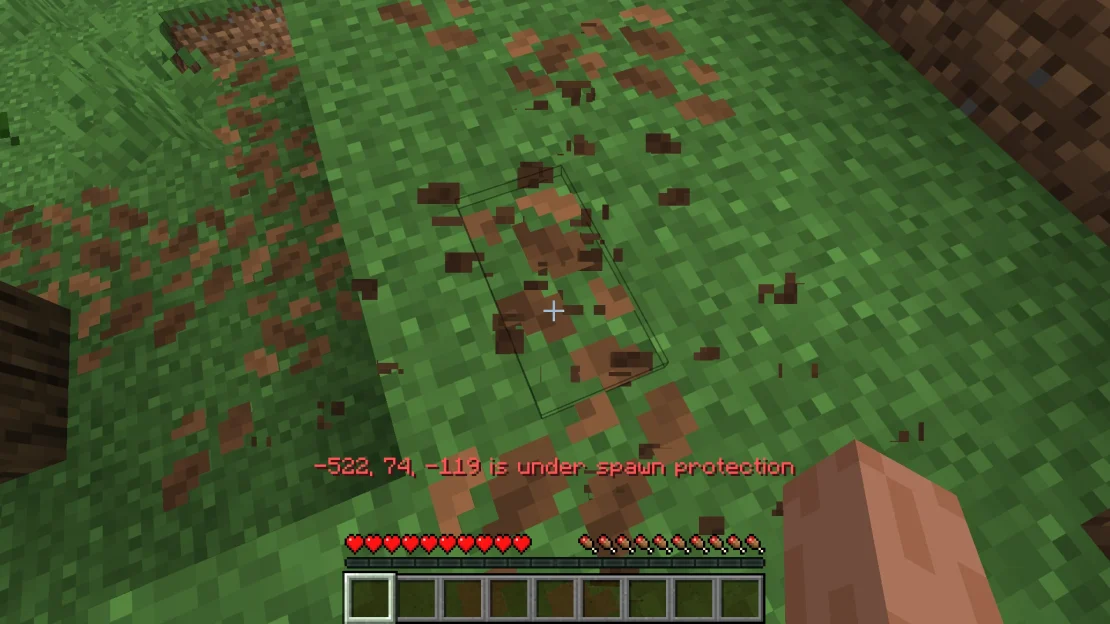
How to Add Spawn Protection to a Minecraft Server?
To enable spawn protection on a Minecraft server, open the server.properties file and set the spawn-protection value to the desired radius in blocks. For example, a value of 10 creates a protected area measuring 21 × 21 blocks around the world spawn. Save the file and restart your server for the changes to take effect.