










To join a Valheim server, you can use two main methods. The first one is to search for a server directly in the list of available servers in the game, which allows you to quickly and easily join the selected world. Alternatively, you can also use the Steam search engine, where by entering the server’s IP address, you will be able to easily join a Valheim game session. Follow the guide below to learn how to do this.
How to join a Valheim server via server list
1. Launch Valheim.
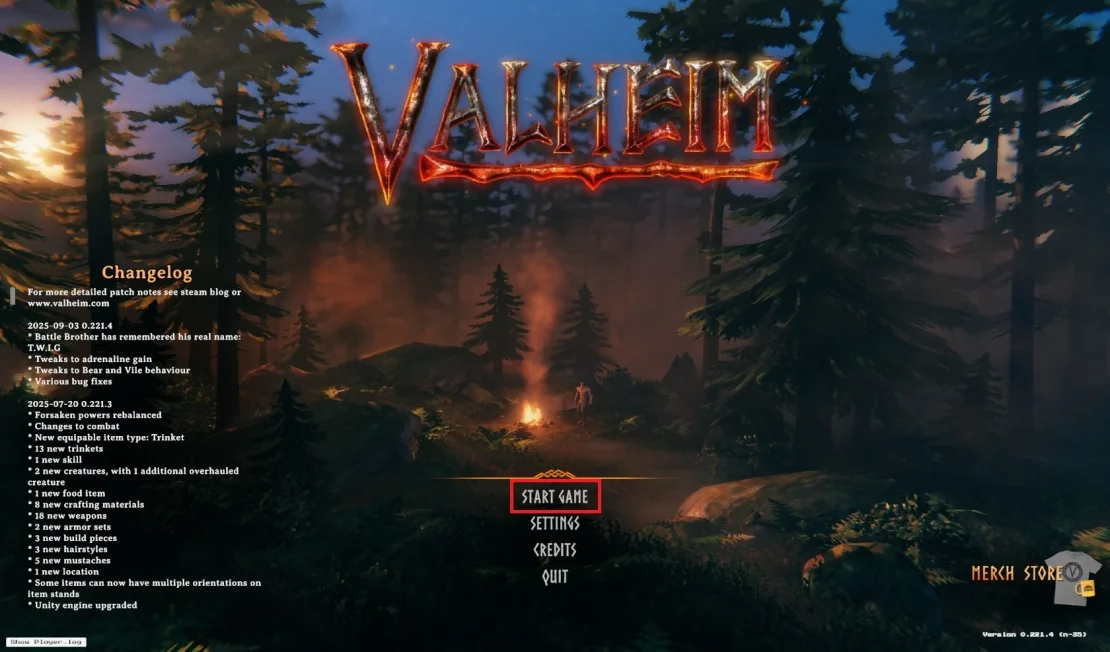
2. Once you are in the main menu, click Start Game.
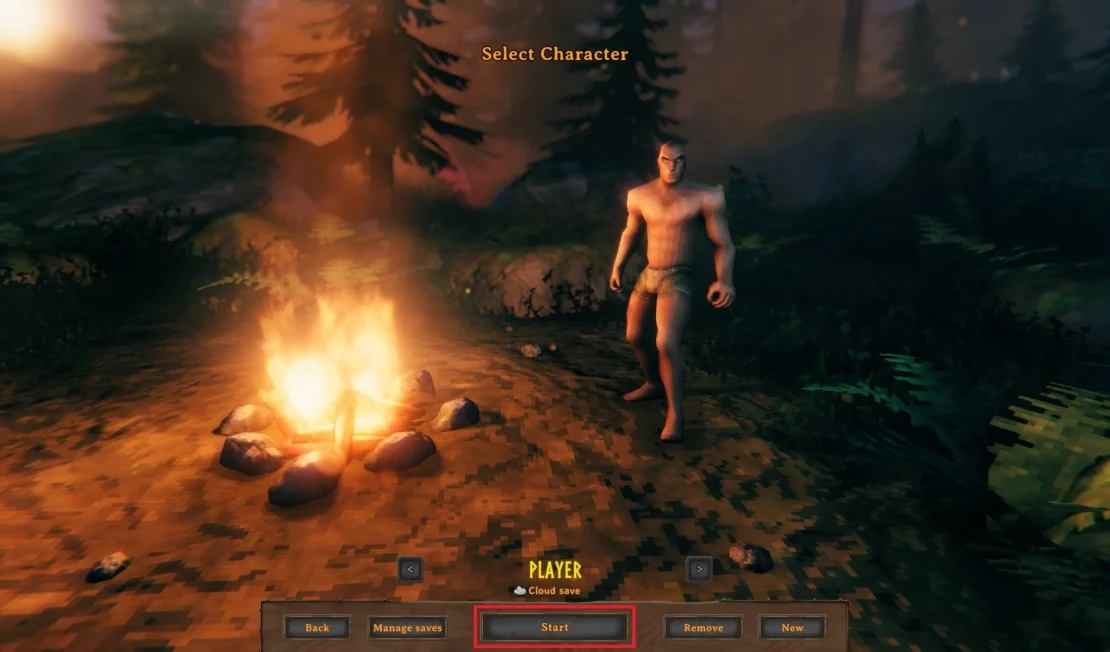
3. Select the character you want to play and click Start.
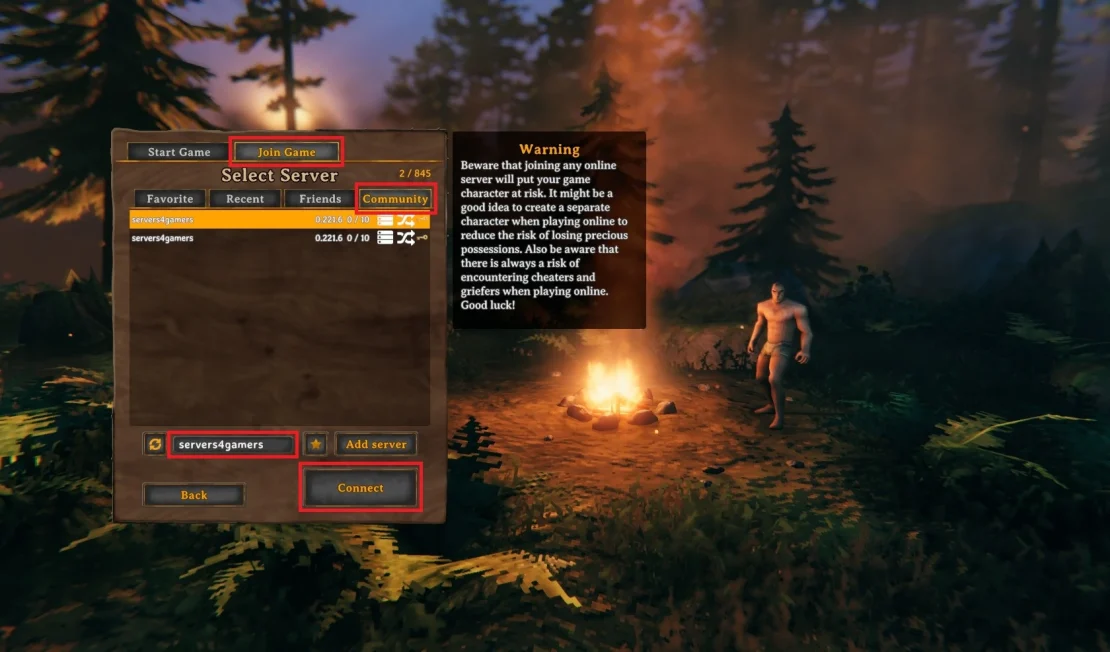
4. Go to the Join Game tab, then select Community. Enter your server name and, once you find it, click Connect.
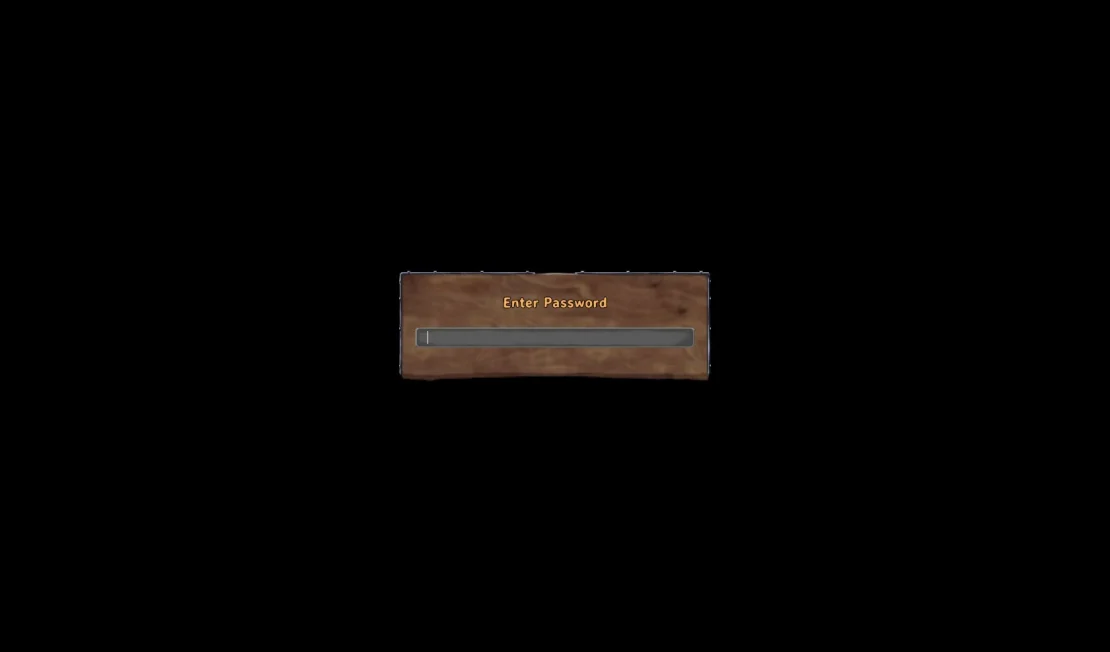
5. As the final step, enter the server password. If you don’t know the password, go to the Startup tab in the control panel, where you can find or change the password.
How to join a Valheim server via Steam
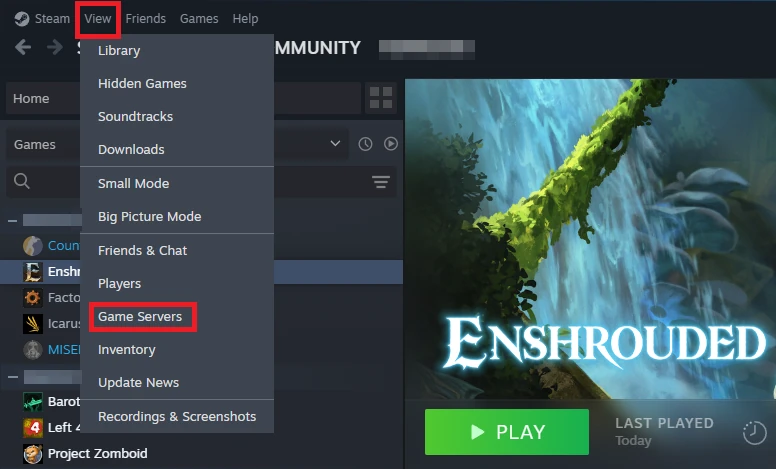
1. Launch Steam, click View, and select Game Servers.
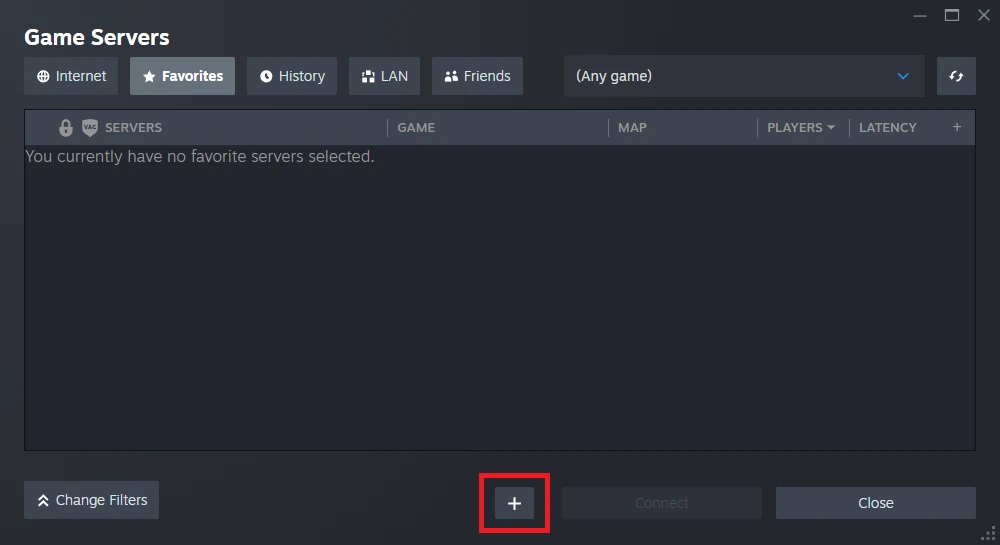
2. Click the + button.
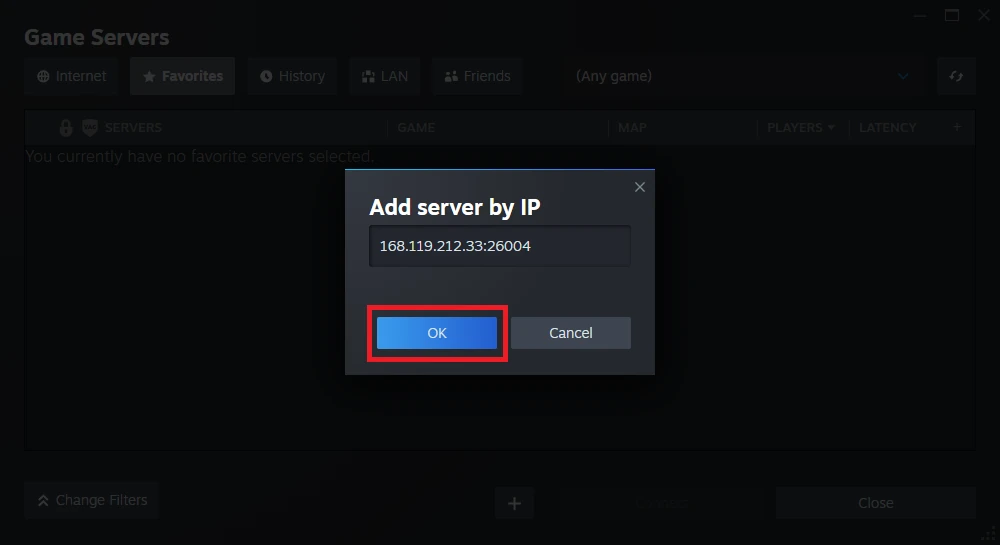
3. Enter your Valheim server address (you can find it in our control panel under Console or Network) and click OK.
If you can’t find the server, try using PORT + 1.
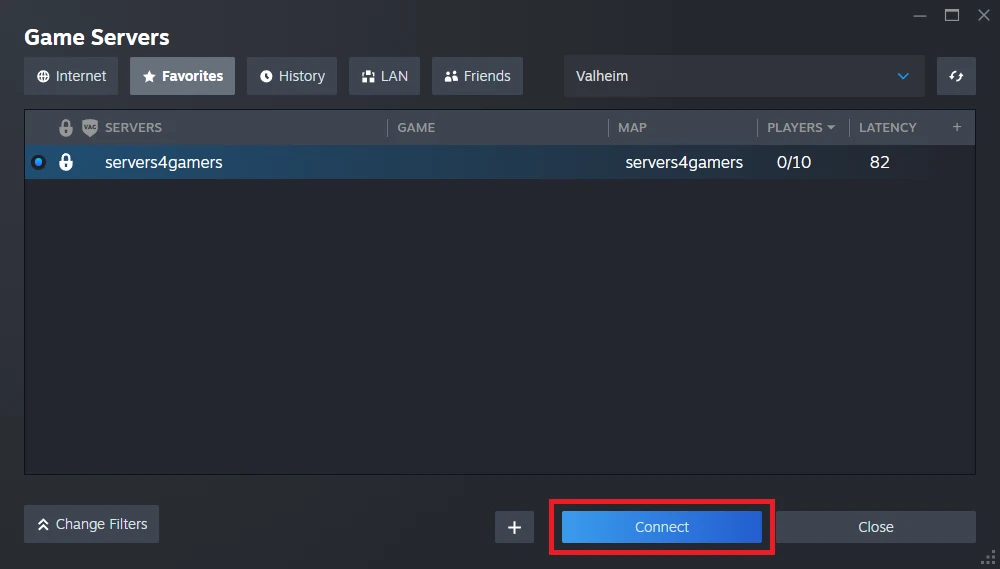
4. Click Connect.
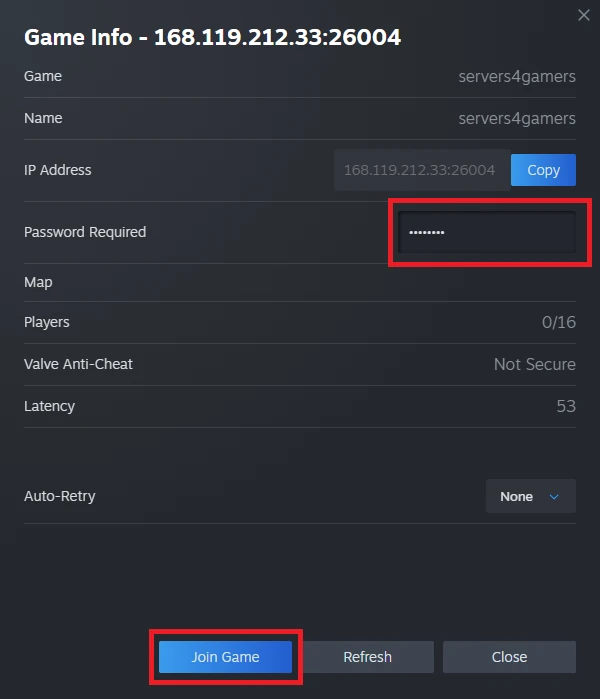
5. Enter the server password and click Join Game.
We hope that our intuitive web interface has allowed you to connect your Valheim server easily. If you want to ask us any questions, feel free to contact us via e-mail, ticket or live chat!
This tutorial will show you how to connect Valheim server

