










BeamMP is a popular modification that enables multiplayer gameplay in BeamNG.drive, allowing players to drive together across various maps. If you want to join a server and enjoy the game with friends or other players, you have two options: you can either join a public server directly from the list of available servers or connect to a private server by entering its IP address. In this guide, you will find instructions for both methods, ensuring that you can easily start playing in multiplayer mode.
How to connect BeamMP server via server list
If your server is public, you can easily connect to it using the BeamMP server list.
1. Launch BeamMP.
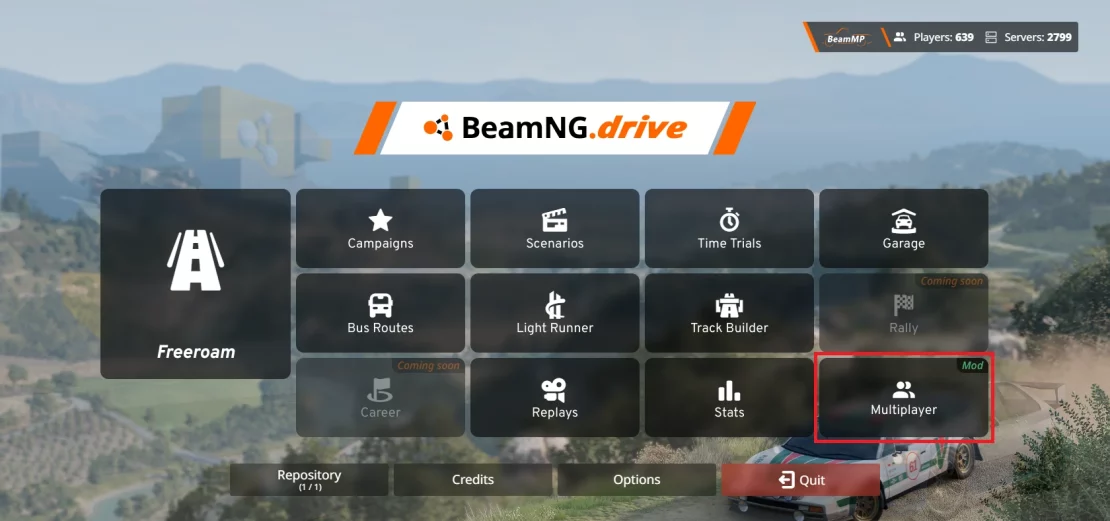
2. Once you are in a main menu, select “Multiplayer“.

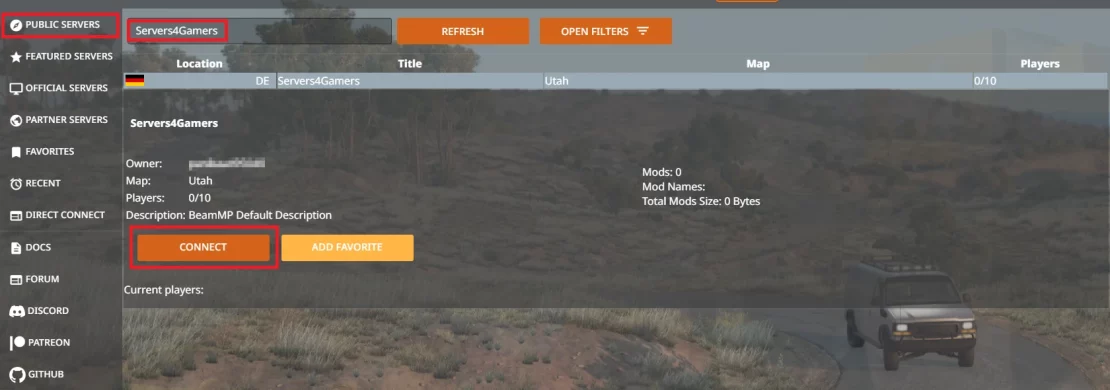
3. Go to “Public Servers” where you will see a list of BeamMP servers. If you have trouble finding your server, search for it by name.
4. Once you find it, select “Connect“.
How to direct connect BeamMP server
If you have decided to create a private server, it will not appear on the official list. In this case, you can join the game using the server address.
1. Launch BeamMP.
2. Once you are in a main menu, select “Multiplayer“.
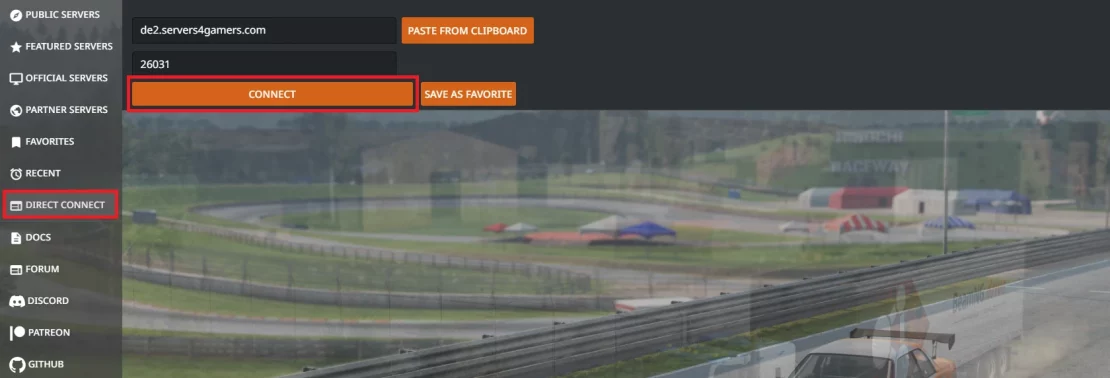
3. Go to the “Direct Connect” tab.
4. Enter the server IP and port and click “Connect“.
We hope that our intuitive guide has allowed you to connect your BeamMP server easily. If you want to ask us any questions, feel free to contact us via e-mail, ticket or live chat!

