BeamMP is a popular modification that enables multiplayer gameplay in BeamNG.drive. If you want to set up your own server, you need to decide whether it should be public (visible to everyone) or private (accessible only to selected players). In this guide, we will focus on how to make your server public.
Create a public server
If you want your server to appear on the server list, you must set the “Private” option to “false”.
1. Go to the control panel and select your BeamMP server.
2. Select “Startup” tab and find ‘Private” option.
3. Change the value to “false“.
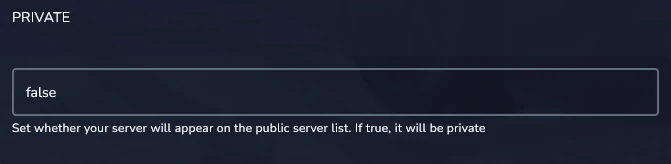
4. Restart server to apply.
Your server should now be visible on the public list. If you want to revert this change, just change the option to “true” and restart.
We hope that our intuitive web interface has allowed you to configure your BeamMP server easily. If you want to ask us any questions, feel free to contact us via e-mail, ticket or live chat!