










If you run your own 7 Days to Die server, proper PvP configuration has a major impact on gameplay. The PlayerKillingMode setting determines whether players can attack each other and under what rules they can do so. In this guide, you will learn how to change the PvP rules on a 7 Days to Die server.
1. Go to the control panel and Stop the server.
2. Go to Files and select the serverconfig.xml file.
3. Find the PlayerKillingMode variable and set one of the following values:
- 0 – no one can attack anyone
- 1 – you can attack allies only
- 2 – you can attack strangers only
- 3 – you can attack everyone
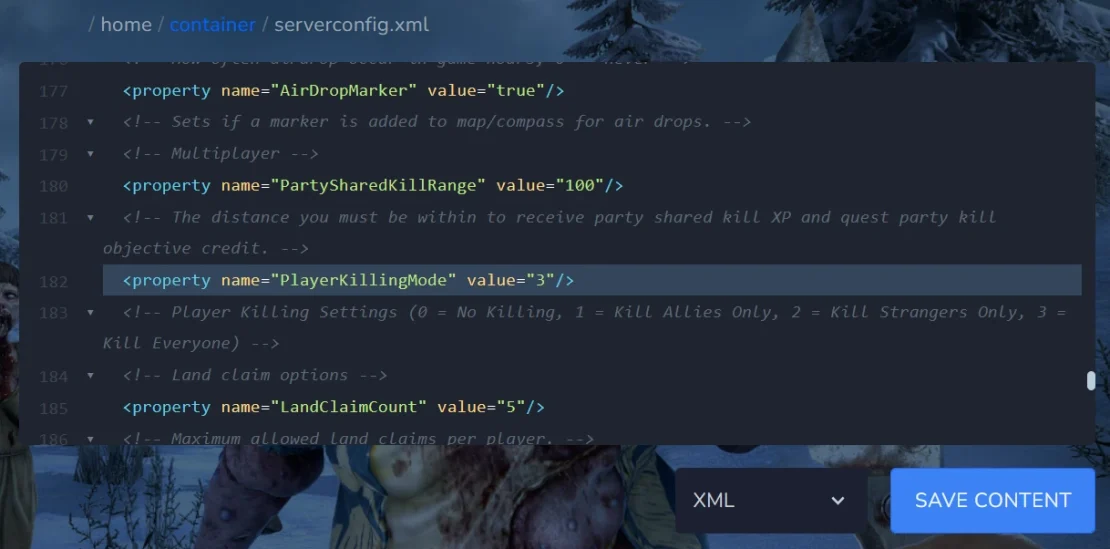
4. Save the file.
5. Start server.

