









Project Zomboid Build 42 introduces major changes that significantly impact multiplayer gameplay. In this article, we explain how to run it locally on your computer, how to start a server for Build 42, and what new features await you.
How To Host a Project Zomboid Build 42 Server
To start a Project Zomboid server on a selected Build 42 version, follow these steps:
- If you do not have a server yet, rent a Project Zomboid server here.
We recommend starting with at least 8 GB of RAM, as servers running the latest builds are more demanding. With less RAM, the server may fail to start. - Once your server has finished installing, go to the Startup tab in our control panel.
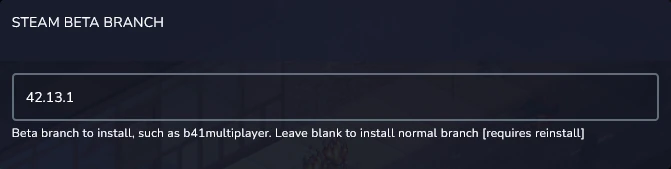
- Find the Steam Beta Branch variable and enter the build version you want to use, for example:
- unstable – for the latest build (currently 42.13.2)
- 42.13.1
- or another available build
- Go to Settings and select Reinstall Server.
After the reinstallation is complete, your server will run on the selected build version and you will be able to join it.
How Much RAM Does a Project Zomboid Build 42 Server Need
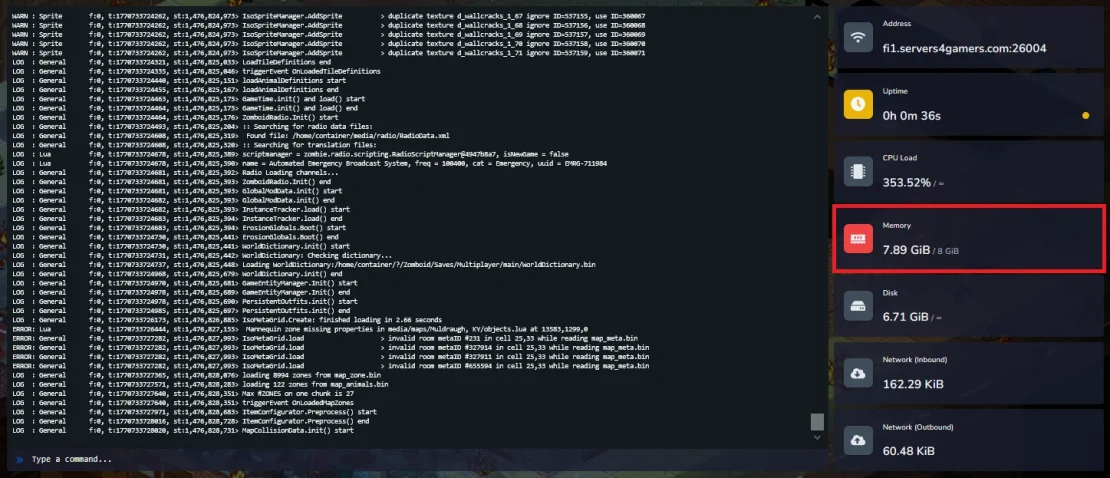
Build 42 introduces many new systems such as a larger map, animals, farming, and more. All of these additions cause the server startup process to load many elements at the same time, which results in temporary high RAM usage.
In practice, the server may need around 8 GB of RAM at startup to launch properly. After the startup process is complete, RAM usage will decrease; however, 8 GB of RAM remains a safe minimum to ensure a stable server startup.
How to Install Project Zomboid Build 42 Locally (Steam Beta)
To install a selected local beta test version of the game, follow these steps:
- Open Steam and go to your Library.
- Find Project Zomboid in the list and right-click on the game.
- Select Properties.
- Go to the Game Versions & Betas tab.
- Expand the list of available versions and scroll to the very bottom to find the latest builds.
- Choose the version you are interested in, for example 42.13.1 or the currently latest one, 42.13.2 (unstable).
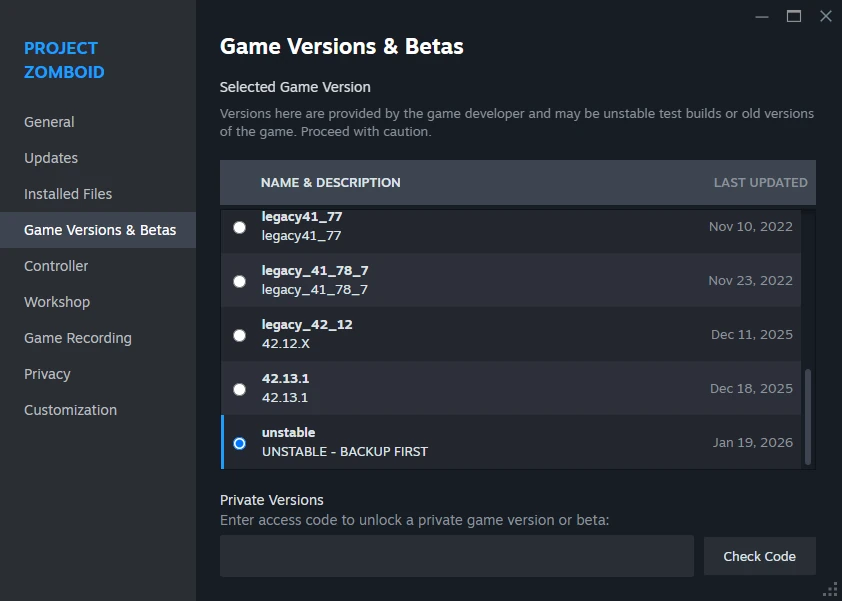
After selecting the version, the game will automatically start updating. You just need to wait a moment for the installation process to complete.
What Build 42 Adds To Project Zomboid
Below you will find the most important features introduced in Build 42.
New Crafting Systems And Workstations
Build 42 completely changes the crafting system, and item creation is no longer a simple list of recipes based on a few components, but a more complex process built around realistic production stages, tools, and workstations. The new crafting system introduces full production chains, from raw resources, through intermediate materials, to finished items.
From now on, players must first obtain the appropriate material, process it at the correct workstation, and only then craft the item they planned to make. You will now be able to train in new crafting specializations such as:
- Blacksmithing
- Pottery
- Stoneworking
- Brewing and fermentation
- Advanced weapon and tool production
Each of these has its own mechanics, items, and dependencies tied to skill levels.
Animals And Wildlife
From now on, a new, expanded animal and ecosystem system awaits you, one that has a real impact on how survival works. Animals are no longer just decorative elements and instead become an integral part of the game world.
In Build 42, players can breed the following farm animals:
- chickens
- cows
- pigs
- sheep
Animal husbandry requires providing proper food, shelter, and protection. In return, players gain access to renewable resources such as meat, milk, eggs, wool, and leather.
In addition to farm animals, you will encounter wildlife such as deer and rabbits, which can be hunted, as well as small animals like rats and mice. Build 42 also introduces a fishing system – fish appear depending on the location, time of day, and season, and fishing becomes a fully viable source of food and an additional survival path.
Farming
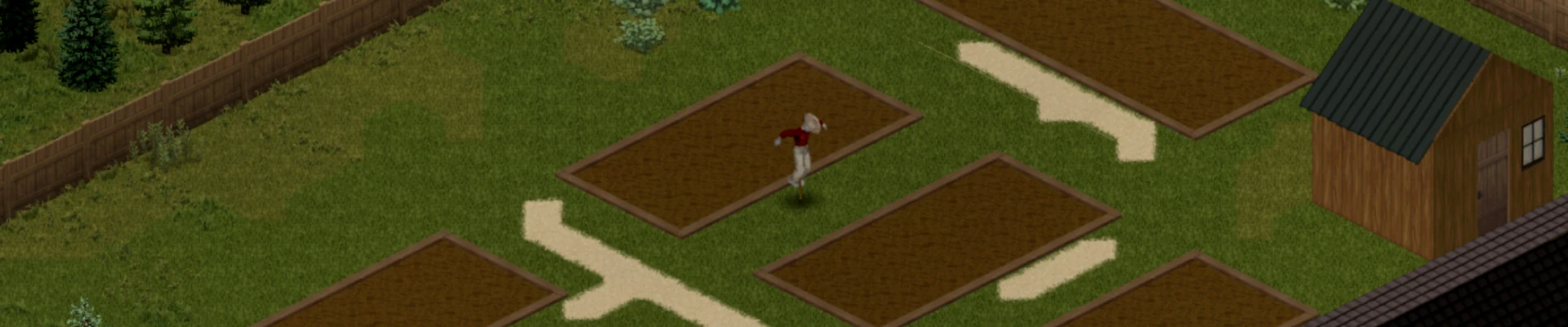
From now on, plant farming becomes a more realistic and important part of long-term survival and is no longer limited to simply planting seeds and waiting for crops to grow. It now requires planning, observation, watering, treating diseases, and taking care of crops so they do not become overgrown with weeds.
As a result, farming becomes more time-consuming, but also far more rewarding. A wide variety of new seeds has been added, ensuring that none of your farming efforts feel repetitive or monotonous.
Map And Game World
The Knox Country map has been significantly expanded, adding new cities, towns, and vast rural areas, as well as wild regions beyond the previous map boundaries. The new locations offer greater environmental variety, making the game world feel less uniform and more natural.
New types of buildings, basements, and taller structures have been introduced, enhancing exploration and adding more depth and variety to gameplay.
Multiplayer
In early versions of Build 42, the multiplayer option was not available. However, with newer updates, it has been reintroduced and is now fully functional. Thanks to this, players can survive the zombie apocalypse together while using the new systems introduced in Build 42.

