










In this article, you’ll learn how to spawn items and vehicles on your Project Zomboid server using the administrator panel. It’s a great way to quickly obtain the equipment you need, test game mechanics, or make gameplay easier without the tedious search for resources. Spawning is useful both when learning the game and when running a server or creating your own gameplay scenarios.
How to spawn items on a Project Zomboid server
1. Join the Project Zomboid server as an administrator. If you haven’t granted yourself admin privileges yet, you can use this command:
SetAccessLevel [Username] admin2. On the left side of the window, you will see several options – select Admin to open the panel.
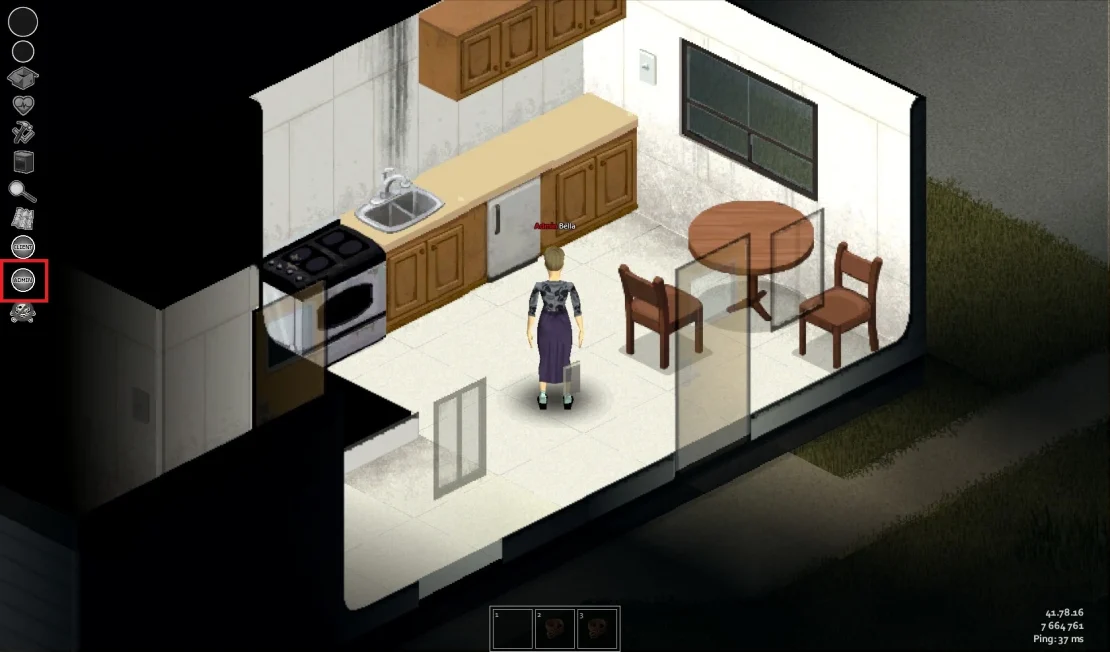
3. In the admin panel, choose Items List Viewer.
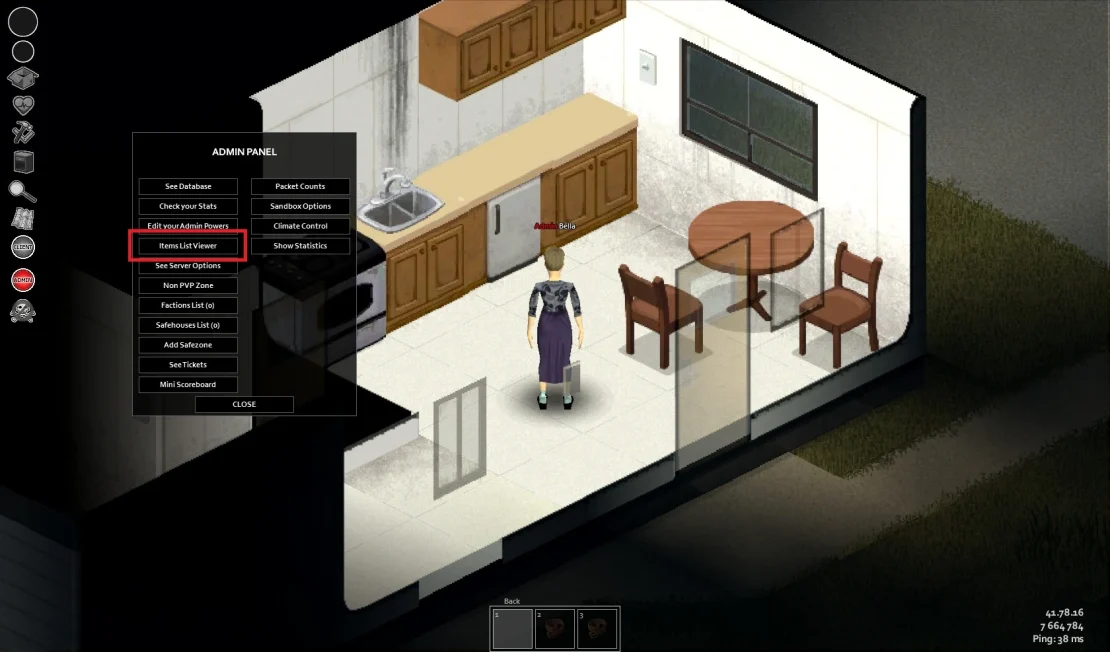
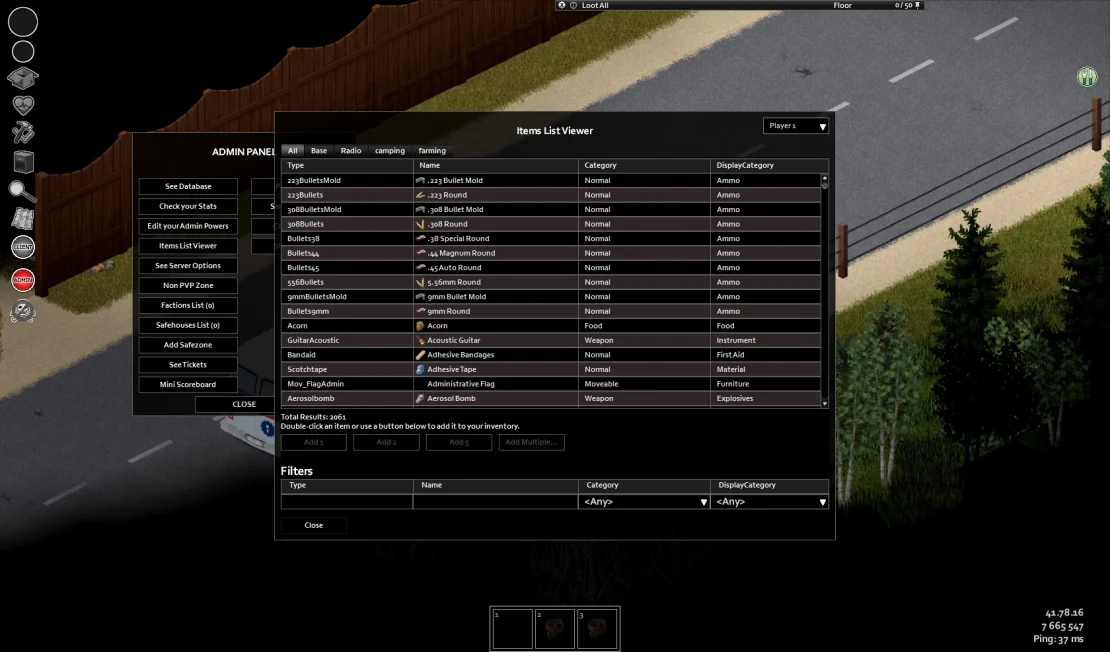
4. In the new window, there is a list of all available items in Project Zomboid – find the item you need and double-click it to spawn it into your inventory.
How to spawn vehicles on a Project Zomboid server
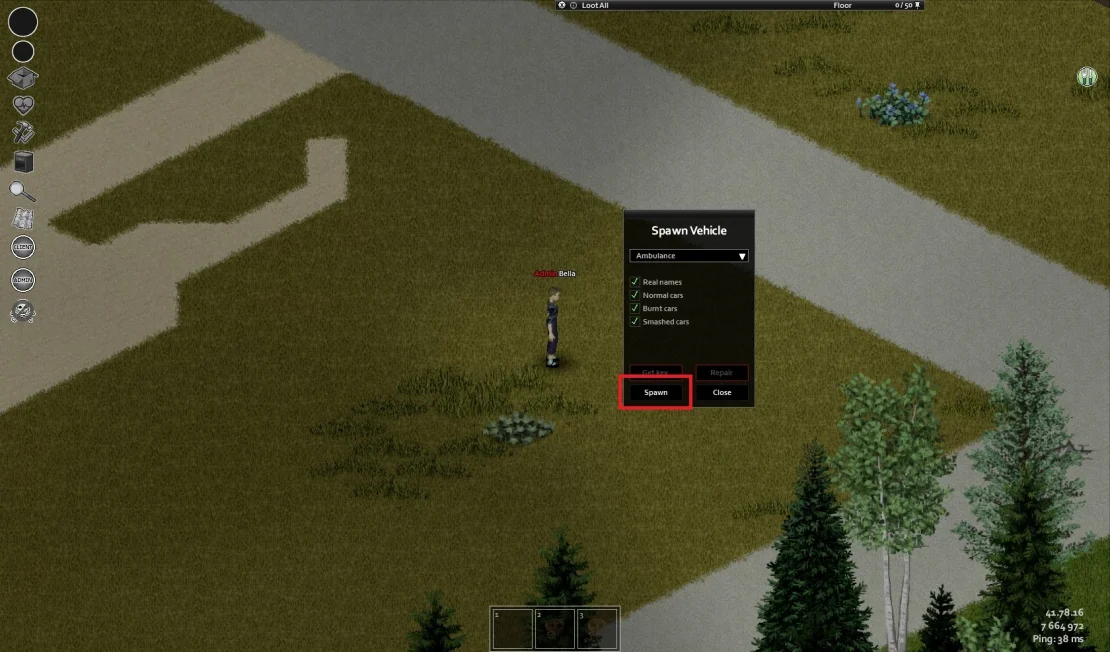
1. Right-click on an empty area, then select Tools and Spawn Vehicle.
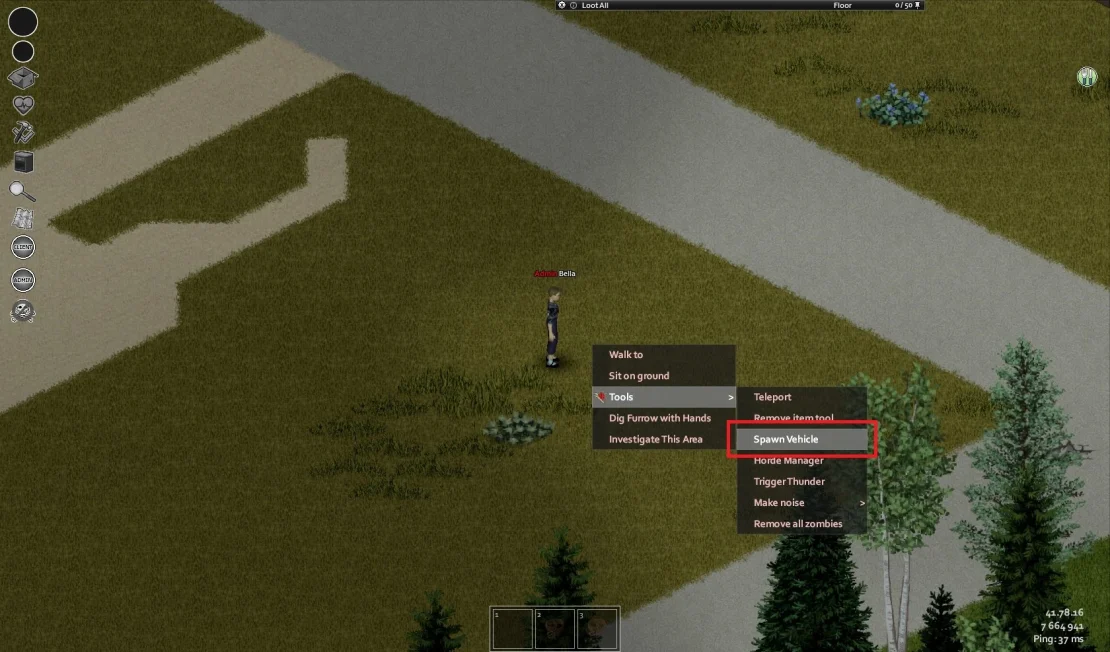
2. From the list, choose the car you want to spawn and click Spawn.
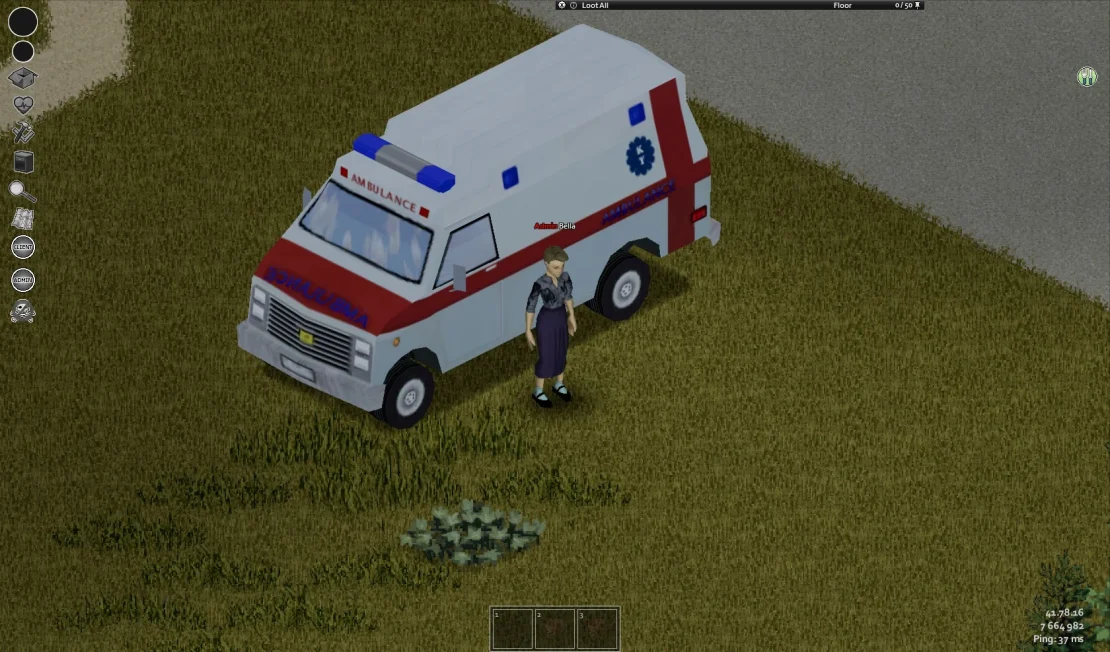
From now on, you can enjoy your new car and move around the world of Project Zomboid with ease! To enter your vehicle, press E, and once inside, press V to open the vehicle menu. In this menu, you’ll find several options that allow you to turn the engine on or off, control the lights and heating, switch seats, and much more – depending on the vehicle.
We hope that our intuitive web interface has allowed you to manage your Project Zomboid server easily. If you want to ask us any questions, feel free to contact us via e-mail, ticket or live chat!

